Listen to this Post
Introduction:
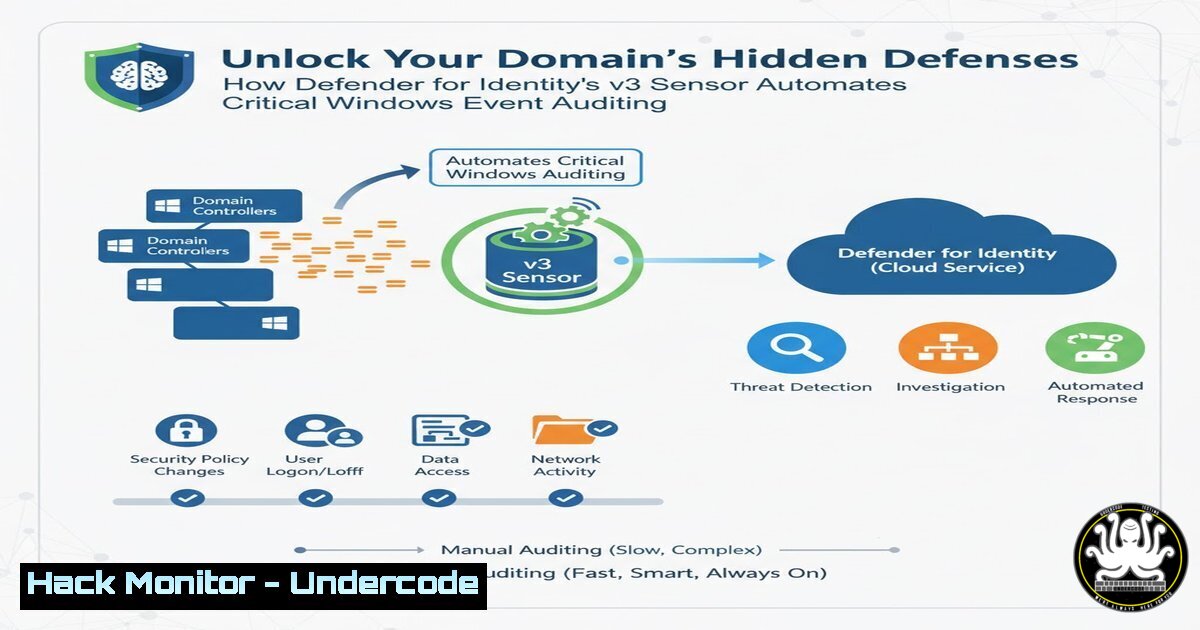
Microsoft Defender for Identity has taken a significant leap forward in automating enterprise security. The newly released v3 sensor now possesses the capability to automatically configure the essential Windows Event Auditing policies on your Domain Controllers, a task traditionally fraught with manual complexity and potential misconfiguration. This innovation promises to close a critical visibility gap, ensuring that the necessary telemetry for detecting sophisticated attacks is always being collected, directly enhancing your security posture against identity-based threats.
Learning Objectives:
- Understand the critical role of Windows Event Auditing in detecting identity-based attacks and lateral movement.
- Learn how to enable and deploy the new Defender for Identity v3 sensor for automated auditing configuration.
- Master the process of verifying successful audit policy deployment and resolving potential Group Policy Object (GPO) conflicts.
- Gain insight into the specific Windows Security events this automation enables and their investigative value.
- Develop a strategy for managing and monitoring this automated configuration in a complex, policy-driven environment.
You Should Know:
1. The Foundational Importance of Windows Event Auditing
Before automation, security teams manually configured audit policies via Group Policy or local security policy to ensure Domain Controllers logged specific events. This was error-prone. Without the correct audit settings, Defender for Identity and other security tools are blind to key attack techniques like Pass-the-Hash, Golden Ticket attacks, and suspicious Kerberos requests. The v3 sensor automation directly addresses this by implementing a baseline of critical auditing requirements, a foundational step for any robust identity security strategy.
2. Deploying the Defender for Identity v3 Sensor
The core of this new capability lies in deploying the updated sensor. This process is initiated through the Microsoft 365 Defender portal.
Step-by-step guide:
- Navigate to the Microsoft 365 Defender portal (`https://security.microsoft.com`).
2. Go to Settings > Identities.
- Under Sensors, select the Domain Controller(s) you wish to update.
- In the sensor configuration pane, you will see an option to deploy the v3 sensor. Confirm the deployment.
- The sensor installer will be downloaded and executed on the target Domain Controller. Once installed and running, the sensor will automatically inventory the current audit policy and begin configuring the necessary settings if they are missing or insufficient.
3. Verifying Automated Audit Policy Configuration
Trust, but verify. After the v3 sensor has been active, you must confirm that the audit policies have been successfully applied. This is done directly on the Domain Controller.
Step-by-step guide:
- Log onto a Domain Controller where the v3 sensor is deployed.
- Open the Group Policy Management Console (GPMC.MSC) or the Local Security Policy (SECPOL.MSC).
- Navigate to Security Settings > Advanced Audit Policy Configuration > Audit Policies.
- The sensor typically enables policies under “Account Logon” and “Account Management,” such as:
Audit Credential Validation: Success and Failure
Audit Kerberos Authentication Service: Success and Failure
Audit Other Account Logon Events: Success and Failure
5. For a command-line verification, open an elevated Command Prompt or PowerShell and run:
`auditpol /get /category:`
This command will list all current audit settings. Look for the relevant subcategories to be configured for Success and/or Failure as expected.
4. Resolving GPO Conflicts and Precedence
As noted in the original post, Group Policy Objects (GPO) defined by an administrator will override the local settings configured by the Defender for Identity sensor. This is a standard Windows behavior where domain-based GPOs have higher precedence than local policy changes.
Step-by-step guide to diagnose conflicts:
- On the Domain Controller, open an elevated PowerShell window.
- Use the `gpresult /h gp_report.html` command to generate a detailed Group Policy Result report.
- Open the generated `gp_report.html` file and review the “Computer Settings” > “Security Settings” > “Advanced Audit Policy Configuration” section.
- This report will show you exactly which GPO is winning and what the effective audit policy settings are. If a GPO is enforcing a setting that disables a critical audit, you must either modify that GPO or create a new GPO with higher precedence to enforce the required auditing.
5. Key Security Events Enabled by This Automation
The automated configuration unlocks visibility into critical security events. Here are examples of the event IDs that will now be reliably logged and fed into Defender for Identity’s detection engine:
Event ID 4768 (A Kerberos authentication ticket (TGT) was requested): Critical for detecting Golden Ticket attacks.
Event ID 4769 (A Kerberos service ticket was requested): Essential for detecting Kerberoasting attacks.
Event ID 4776 (The domain controller attempted to validate the credentials for an account): Key for detecting Pass-the-Hash and brute-force attempts.
These events form the bedrock of investigations into identity theft and lateral movement within a network.
6. Long-Term Management and Monitoring Strategy
Automation does not mean “set and forget.” A proactive strategy is required to maintain this security gain.
Step-by-step guide:
- Monitor Sensor Health: Regularly check the health status of the Defender for Identity sensors in the M365 Defender portal under Settings > Identities > Sensors.
- Centralize Audit Logs: Ensure all Domain Controller security logs are being forwarded to a SIEM or Microsoft Sentinel for long-term retention and correlation.
- Create Alerting Rules: Configure alerts in your SIEM or Defender for Identity for any changes to the audit policies on Domain Controllers, which could indicate a malicious actor trying to blind your defenses.
- Document the Configuration: Formally document that Defender for Identity is responsible for configuring these audit policies. This prevents other IT teams from spending time on manual configuration and understanding the source of these settings.
What Undercode Say:
- This automation represents a fundamental shift from manual, error-prone security hardening to intelligent, self-configuring defense systems.
- The primary operational challenge will shift from initial configuration to managing policy precedence and ensuring continuous sensor health, requiring closer collaboration between security and Active Directory teams.
Analysis:
The introduction of automated audit policy configuration by Defender for Identity v3 is a watershed moment for operational security. It directly tackles one of the most common root causes of security failures: missing telemetry. By removing the human element from a tedious but critical task, Microsoft is ensuring that a foundational layer of detection is consistently present. This allows security analysts to focus on higher-value tasks like threat hunting and incident response, confident that the necessary data is being collected. The note about GPO precedence is crucial; it highlights that while the tool automates a technical task, it still operates within a political and architectural IT environment that requires careful governance. This feature solidifies Defender for Identity not just as a detection tool, but as an active participant in security hygiene.
Prediction:
This innovation is a clear indicator of the future trajectory of enterprise security suites: autonomous configuration and hardening. We predict that within two years, this capability will become a standard expectation for all advanced security tools, leading to a new wave of “self-healing” and “self-hardening” security infrastructures. This will drastically reduce the attack surface of managed environments and force adversaries to develop new techniques that operate outside the view of even automated audit collection, potentially accelerating the adoption of more sophisticated, memory-based attacks that bypass traditional logging altogether.
🎯Let’s Practice For Free:
IT/Security Reporter URL:
Reported By: Nathanmcnulty Defender – Hackers Feeds
Extra Hub: Undercode MoN
Basic Verification: Pass ✅


