Listen to this Post
Introduction:
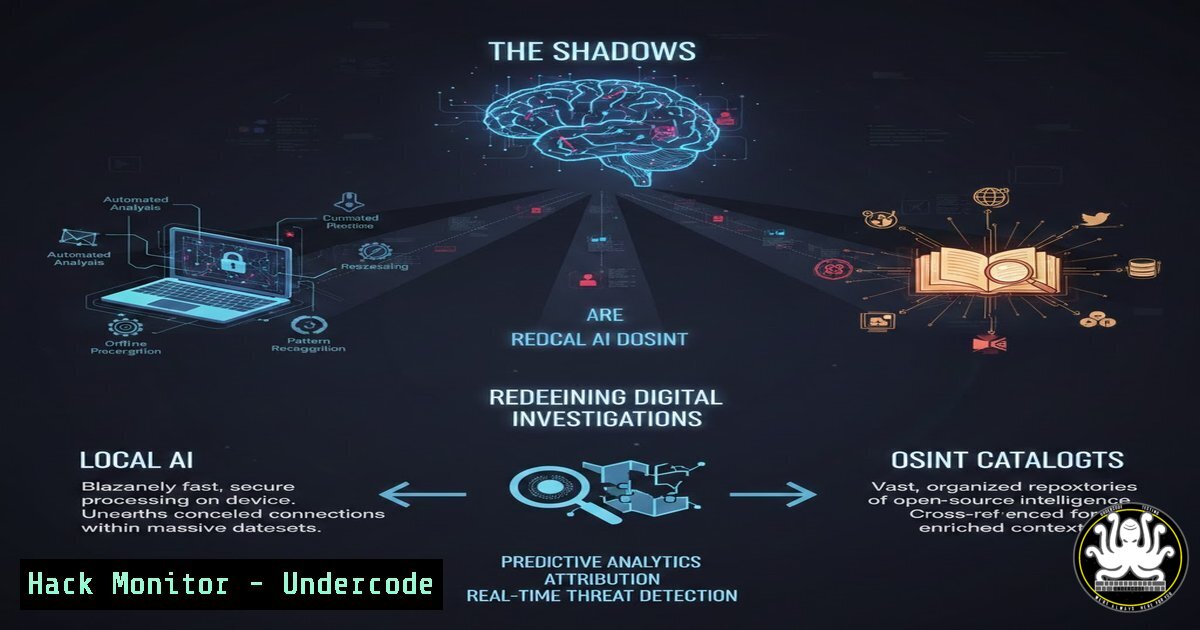
In an era where digital privacy is paramount, the landscape of Open-Source Intelligence (OSINT) is shifting from cloud-dependent tools to localized, AI-driven powerhouses. Investigators now face the dual challenge of extracting critical data without compromising their digital footprint while navigating an overwhelming sea of available utilities. Mastering these new methodologies is no longer optional for cybersecurity professionals; it is the cornerstone of modern threat intelligence and digital forensics.
Learning Objectives:
- Master the deployment and utilization of local, AI-powered facial recognition tools for offline OSINT investigations.
- Navigate and filter the vast OSINT tool ecosystem effectively to select the right utility for specific intelligence requirements.
- Understand the hardware and software prerequisites for running advanced neural network-based search engines on a local machine.
You Should Know:
- Deploying Local AI: Setting Up “Eye of the Web” for Facial Recognition
Traditional OSINT facial recognition often requires uploading sensitive images to third-party servers, creating a significant privacy leak and chain-of-custody issue. “Eye of the Web” mitigates this by leveraging the InsightFace neural network locally. This tool scans facial features from a source image and compares them against a corpus of images downloaded from user-defined sources.
To utilize this tool effectively, ensure your system meets the minimum requirements (8GB RAM recommended, with a CUDA-capable GPU for faster processing).
Step‑by‑step guide for Linux (Ubuntu/Debian) deployment:
1. Update System & Install Dependencies:
sudo apt update && sudo apt upgrade -y
sudo apt install python3-pip python3-venv git -y
2. Clone the Repository (Assuming the tool is hosted on a platform like GitHub; adjust URL accordingly):
git clone https://github.com/example/eye-of-the-web.git
cd eye-of-the-web
3. Create a Virtual Environment and Install Requirements:
python3 -m venv osint-env
source osint-env/bin/activate
pip install -r requirements.txt
Note: Requirements typically include insightface, onnxruntime, opencv-python, and `scrapy` for web crawling.
4. Configure Data Sources:
Edit the configuration file (config.yaml or similar) to define the targets. You can specify URLs or sitemaps of forums, social media platforms (where permissible), and public directories.
sources:
- https://example-forum.com/sitemap.xml
- https://public-gallery-site.com/
5. Execute the Crawler and Matcher:
The tool usually runs in two phases: crawling (gathering images) and matching (analyzing against the target).
 Phase 1: Crawl images from specified sources
python crawl.py --sources config.yaml --output ./downloaded_images

Phase 2: Run facial recognition against the target photo (target.jpg)
python match.py --target target.jpg --database ./downloaded_images --threshold 0.75
This command will output potential matches with a similarity score above the defined threshold, all processed locally without exposing the target image to the cloud.
2. Strategic Tool Selection: Utilizing OSINT Tool Explorer
Navigating the fragmented OSINT landscape requires a structured approach. OSINT Tool Explorer (hosted at `https://kilaz.net/`) acts as a dynamic directory, categorizing utilities by function (Social Media, Network Analysis, Dark Web, etc.). Instead of relying on static bookmark files that become outdated, investigators can use this portal to discover new resources.
How to leverage the catalog effectively:
- Filtering for Constraints: Use the interface to filter tools by cost (Free, Paid, Freemium) and platform (Web-based, Windows, Linux, Mac). For a deep-dive investigation requiring anonymity, focus on CLI tools that can be routed through Tor.
- Cross-Referencing Utilities: If you need to verify an email address, the catalog will list tools like
Hunter.io,EmailHarvester, andholehe. On a Linux machine, you might install and run `holehe` directly:Install holehe (Python-based email verification tool) pip3 install holehe Usage against a target email holehe [email protected] --only-used
This command checks if the email is registered on various platforms without sending a notification to the owner.
3. Windows-Based Analysis: Hardening Your Investigation Host
When conducting OSINT on a Windows machine, hardening the host against leaks is critical. Background processes and telemetry can compromise an investigation’s opsec.
Command Line Hardening Steps (Run PowerShell as Administrator):
- Block Telemetry via Hosts File: Append known telemetry domains to the hosts file to prevent data leakage from your analysis tools.
Add-Content -Path C:\Windows\System32\drivers\etc\hosts -Value "`n0.0.0.0 settings-win.data.microsoft.com"
Add-Content -Path C:\Windows\System32\drivers\etc\hosts -Value "0.0.0.0 telemetry.malware-protection.microsoft.com"
- Disable Smart Multi-Homed DNS Resolution: This prevents Windows from sending DNS queries to all available network interfaces, which could leak the fact that you are using a VPN.
Set-ItemProperty -Path "HKLM:\SYSTEM\CurrentControlSet\Services\Dnscache\Parameters" -Name "DisableSmartNameResolution" -Value 1 -Type DWord
3. Verify Network Isolation:
 Check that your VPN IP is the only active route
ipconfig | findstr /i "IPv4"
 Check DNS Leak
nslookup whoami.akamai.net
4. API Security and Data Scraping Techniques
Many OSINT tools rely on public APIs. Understanding how to interact with these APIs programmatically allows for automated data gathering. However, rate limiting and API keys present barriers.
Python Example for Ethical Scraping (with delays):
import requests
import time

def fetch_social_data(username):
 Example: Fetching data from a public API
headers = {'User-Agent': 'Mozilla/5.0 (Windows NT 10.0; Win64; x64) OSINT Research'}
platforms = ['https://api.example.com/user/', 'https://socialcheck.example/u/']

for platform in platforms:
try:
response = requests.get(platform + username, headers=headers, timeout=10)
if response.status_code == 200:
print(f"[+] Found on {platform}: {response.json()}")
else:
print(f"[-] Not found on {platform}")
except requests.exceptions.RequestException as e:
print(f"[!] Error with {platform}: {e}")

Ethical delay to avoid rate limiting
time.sleep(5)  Wait 5 seconds between requests
5. Mitigating AI Exploitation in Facial Recognition Tools
While using tools like InsightFace, investigators must be aware of adversarial AI techniques that can fool neural networks. Understanding these vulnerabilities helps in verifying the authenticity of a match.
Testing Image Integrity:
Before trusting a match, check for signs of AI manipulation (deepfakes) that could pollute your evidence base.
 Using FFmpeg to check for anomalous metadata or compression artifacts
ffmpeg -v quiet -print_format json -show_format -show_streams suspect_image.jpg

Using a tool like 'exiftool' to verify edit history (Windows/Linux)
exiftool suspect_image.jpg | grep -i "modify|software"
If the metadata shows creation by “AI Generator XYZ” or lacks typical camera EXIF data, the “match” may be a decoy planted by the target.
6. Cloud Hardening for Collaborative OSINT
When teams collaborate, they often use cloud drives to share findings. These repositories must be hardened to prevent them from becoming a target.
Using `rclone` to Encrypt OSINT Data Before Cloud Sync:
 Configure a remote with encryption (Linux/macOS/Windows WSL)
rclone config
 Create a new remote, select 'crypt' as the type, and link it to your cloud storage (e.g., Google Drive).
 This ensures all findings (including images from facial recognition scans) are encrypted client-side.
7. Vulnerability Exploitation vs. Mitigation: URL Analysis
Extracted URLs from OSINT tools must be vetted. A link might lead to a legitimate source or a compromised website hosting malware designed to target investigators.
Mitigation with URLScan and Sandboxing:
Instead of directly visiting a suspicious URL found during a search, use `urlscan.io` via CLI.
 Submit a URL to urlscan.io API and get a public report
curl -X POST "https://urlscan.io/api/v1/scan/" \
-H "Content-Type: application/json" \
-H "API-Key: YOUR_API_KEY" \
-d '{"url": "http://suspicious-site.com", "visibility": "public"}'
This reveals the technologies used, redirect chains, and hosting infrastructure of the target link without putting your local machine at risk.
What Undercode Say:
- Key Takeaway 1: The shift toward local, AI-driven OSINT tools like “Eye of the Web” represents a critical evolution in operational security, removing the dependency on third-party cloud services that could log queries or compromise sensitive targets.
- Key Takeaway 2: Effective OSINT is not just about having tools; it is about having a structured methodology to discover and deploy them. Resources like OSINT Tool Explorer transform chaotic data gathering into a systematic intelligence process.
The integration of neural networks into local search engines empowers investigators to conduct deep-dive analysis with a level of privacy previously unattainable. However, this power comes with the responsibility to harden the analysis environment against both external threats and internal data leakage. As AI-generated content becomes indistinguishable from reality, the human analyst’s ability to correlate data across disparate sources—from facial recognition outputs to metadata forensics—remains the most irreplaceable asset in the intelligence cycle.
Prediction:
Within the next 24 months, we will witness the commoditization of hybrid OSINT models where lightweight AI agents run locally to triage data before sending anonymized, encrypted queries to centralized cloud catalogs. This will bifurcate the field into “Scout AI” (local, private) and “Archive AI” (vast, cloud-based but heavily regulated), forcing a new standard of certification for OSINT practitioners to prove they can manage the security of the local node as competently as they analyze the data it produces.
▶️ Related Video (84% Match):
🎯Let’s Practice For Free:
IT/Security Reporter URL:
Reported By: Saadsarraj Osint – Hackers Feeds
Extra Hub: Undercode MoN
Basic Verification: Pass ✅


