Listen to this Post
Introduction:
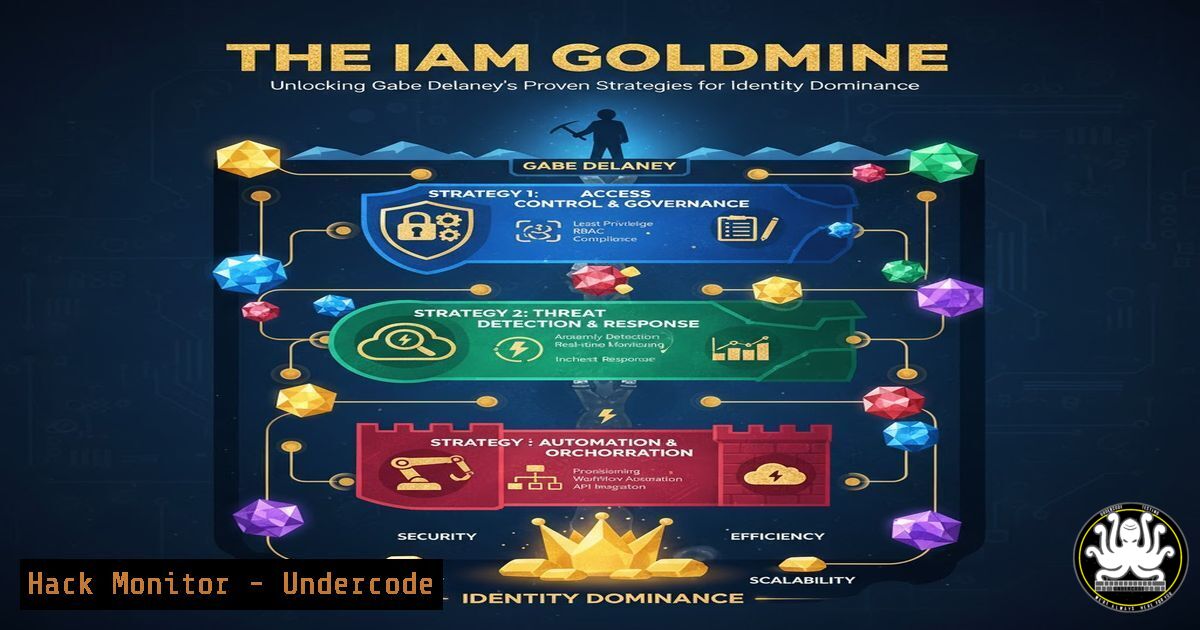
Identity and Access Management (IAM) has evolved from a back-office IT function to the cornerstone of modern Zero Trust security architectures. As professionals Gabe Delaney and Andrew Chanthaphone highlight, mastering IAM is no longer optional but a critical career differentiator in the cybersecurity landscape, blending automation, cloud identity, and governance into a powerful skillset.
Learning Objectives:
- Master core IAM concepts including Entra ID, automation, and Zero Trust governance.
- Implement practical commands and scripts for enterprise IAM management.
- Develop a strategic roadmap for building and advancing an IAM career.
You Should Know:
1. Entra ID PowerShell Mastery
`Connect-MgGraph -Scopes “User.ReadWrite.All”, “Group.ReadWrite.All”, “Application.ReadWrite.All”`
This PowerShell command connects to the Microsoft Graph API, which is the modern interface for managing Entra ID (formerly Azure AD). The specified scopes grant permissions for managing users, groups, and applications programmatically.
Step-by-step guide:
- Install the Microsoft Graph PowerShell module: `Install-Module Microsoft.Graph -Force`
2. Run the connection command with necessary scopes
- Authenticate with an account having appropriate Entra ID privileges
- Verify connection with `Get-MgContext` to confirm signed-in user and permissions
- Begin managing resources: `Get-MgUser -Top 10` to list first 10 users
2. Conditional Access Policy Deployment
`New-MgIdentityConditionalAccessPolicy -DisplayName “Require MFA for Admin Portals” -State “enabled” -Conditions @{…}`
This command creates a new Conditional Access policy in Entra ID to enforce security requirements like Multi-Factor Authentication (MFA) when accessing sensitive administrative portals.
Step-by-step guide:
- Define conditions specifying which users/applications this policy affects
- Configure grant controls requiring MFA or compliant devices
- Set the policy state to “enabledForReportingButNotEnforced” for testing
4. Monitor sign-in logs for policy impact
5. Change state to “enabled” after validation
- Regularly review policy effectiveness through Azure AD sign-in logs
3. Linux Identity Integration with SSSD
`authselect sssd with-mkhomedir –force`
This Linux command configures System Security Services Daemon (SSSD) for integrating Linux systems with Active Directory or Entra ID domain services, automatically creating home directories for domain users.
Step-by-step guide:
- Install required packages: `yum install sssd realmd oddjob oddjob-mkhomedir adcli`
2. Discover domain: `realm discover yourdomain.com`
3. Join domain: `realm join –user=admin yourdomain.com`
4. Configure SSSD: `authselect sssd with-mkhomedir –force`
5. Test authentication: `getent passwd [email protected]`
- Configure sudo rules for domain groups in `/etc/sudoers.d/domain_admins`
4. IAM Automation with GitHub Actions
name: Entra ID User Provisioning
on:
workflow_dispatch:
inputs:
userId:
description: 'User Principal Name'
required: true
jobs:
provision-user:
runs-on: ubuntu-latest
steps:
- uses: azure/login@v1
with:
creds: ${{ secrets.AZURE_CREDENTIALS }}
- uses: azure/powershell@v1
with:
inlineScript: |
New-MgUser -DisplayName "${{ github.event.inputs.userId }}"
-UserPrincipalName "${{ github.event.inputs.userId }}"
-AccountEnabled
-MailNickname "${{ github.event.inputs.userId.split('@')[bash] }}"
This GitHub Actions workflow demonstrates automated user provisioning in Entra ID, enabling infrastructure-as-code practices for IAM operations.
Step-by-step guide:
- Create Azure AD app registration with appropriate Graph API permissions
2. Store credentials as GitHub repository secrets
- Create the workflow YAML file in `.github/workflows/` directory
4. Configure inputs for user details
5. Test with manual trigger using workflow_dispatch
6. Monitor execution in GitHub Actions tab
7. Extend with approval steps for production environments
5. Windows Privileged Access Management
`New-PSSessionConfigurationFile -Path .\JEAConfig.pssc -SessionType RestrictedRemoteServer -RoleDefinitions @{ ‘IAM-JEA-HelpDesk’ = @{ RoleCapabilities = ‘HelpDeskRole’ }}`
This PowerShell command creates a Just Enough Administration (JEA) configuration file to limit what help desk staff can do in Active Directory, implementing principle of least privilege.
Step-by-step guide:
- Create role capability files defining exact commands help desk can execute
2. Generate JEA endpoint configuration using above command
- Register JEA endpoint: `Register-PSSessionConfiguration -Name ‘IAMHelpDesk’ -Path .\JEAConfig.pssc`
4. Test with: `Enter-PSSession -ComputerName LOCALHOST -ConfigurationName ‘IAMHelpDesk’ -Credential (Get-Credential)`
5. Assign users to the IAM-JEA-HelpDesk Active Directory group - Audit usage with: `Get-WinEvent -LogName ‘Microsoft-Windows-PowerShell/Operational’ | Where-Object {$_.Message -like “JEA”}`
6. API Security Testing with curl
`curl -H “Authorization: Bearer $TOKEN” https://graph.microsoft.com/v1.0/users/$USERID -v`
This command tests API endpoint security by making an authenticated request to Microsoft Graph, useful for validating token permissions and endpoint accessibility during IAM implementations.
Step-by-step guide:
- Acquire access token using client credentials flow or interactive auth
2. Set token as environment variable: `export TOKEN=your_access_token`
- Execute curl command with verbose flag to see full request/response
- Analyze HTTP status codes (200 OK, 403 Forbidden, 404 Not Found)
- Test with different users and roles to validate permission models
- Implement automated testing in CI/CD pipelines using similar curl commands
7. Cloud IAM Hardening Script
!/bin/bash
 Cloud IAM Hardening Script
echo "Checking for overly permissive IAM policies..."
aws iam list-policies --only-attached --output text | grep -i administrator
az role assignment list --include-inherited --output table
gcloud projects get-iam-policy $PROJECT_ID --format=json | jq '.bindings[] | select(.role=="roles/owner")'
This multi-cloud script identifies dangerous IAM assignments across AWS, Azure, and GCP environments, crucial for maintaining least privilege access.
Step-by-step guide:
- Install and authenticate with respective cloud CLIs (aws, az, gcloud)
2. Set target project/subscription as environment variables
3. Run script to identify admin/owner role assignments
4. Review each identified assignment for business justification
5. Implement remediation using cloud-native tools
- Schedule regular execution (e.g., weekly via cron) for continuous monitoring
7. Extend with notification logic for critical findings
What Undercode Say:
- IAM expertise represents one of the highest-value specializations in cybersecurity, with direct impact on organizational security posture.
- The convergence of AI, automation, and identity management creates unprecedented opportunities for professionals who master both technical implementation and strategic governance.
The insights from Delaney and Chanthaphone reveal that IAM is undergoing a fundamental transformation from static directory services to dynamic, AI-enhanced security control plane. Professionals who invest in mastering Entra ID, automation scripting, and Zero Trust principles position themselves for leadership roles. The practical commands provided demonstrate that successful IAM practitioners must bridge gap between strategic policy and technical implementation. As organizations accelerate cloud adoption, the ability to implement secure, scalable identity infrastructure becomes increasingly valuable, with IAM architects commanding premium compensation and strategic influence.
Prediction:
The integration of AI into IAM platforms will automate threat detection and access certification, but also create new attack surfaces that sophisticated threat actors will exploit. Within two years, we predict AI-driven identity attacks that mimic legitimate user behavior will become mainstream, forcing organizations to adopt behavioral biometrics and continuous authentication. IAM professionals who master AI security controls will become essential defenders of the digital enterprise.
🎯Let’s Practice For Free:
IT/Security Reporter URL:
Reported By: Gabe Delaney – Hackers Feeds
Extra Hub: Undercode MoN
Basic Verification: Pass ✅


