Listen to this Post
Introduction:
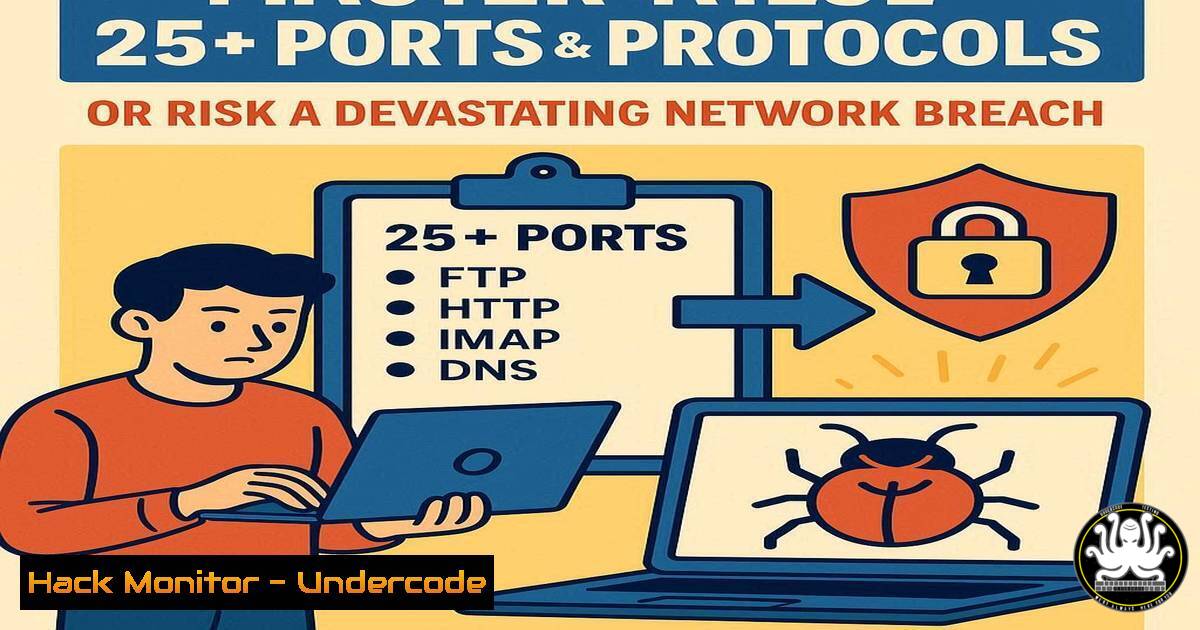
In the digital battleground of modern cybersecurity, network ports are the gates to your kingdom. Every open port is a potential entry point for attackers, making protocol mastery not just an administrative task but a fundamental pillar of defense. Understanding what communicates on which port is the first step in securing, monitoring, and hardening any network environment.
Learning Objectives:
- Identify the function and associated risks of the most critical network ports.
- Learn essential commands to scan for, analyze, and secure these ports.
- Implement practical mitigation strategies to reduce your network’s attack surface.
You Should Know:
1. The Web’s Double-Edged Sword: HTTP/HTTPS
Verified Commands:
`nmap -p 80,443,8080 `
`netstat -tulpn | grep :80`
`sudo ufw deny 80/tcp` (Ubuntu/Debian)
`netsh advfirewall firewall add rule name=”Block HTTP” dir=in action=block protocol=TCP localport=80` (Windows)
Step-by-step guide:
Ports 80 (HTTP) and 443 (HTTPS) are the lifeblood of the internet but are prime targets. The `nmap` command probes a target IP to see if these web ports are open, revealing potential web servers. Use `netstat` on your own machine to identify services listening on port 80. For security, always disable plain HTTP (port 80) using the `ufw` (Uncomplicated Firewall) command on Linux or the `netsh` command in the Windows Command Prompt to create a strict firewall rule, forcing all traffic to encrypted HTTPS (port 443).
2. Securing Remote Access & File Transfer
Verified Commands:
`nmap -p 21,22 -sV `
`ssh -l -p 22`
`sftp @`
`sudo systemctl disable vsftpd` (To disable FTP service)
Step-by-step guide:
Port 21 (FTP) is notoriously insecure, transmitting credentials in plaintext. The `nmap -sV` scan not only finds open ports but also attempts to determine the service version. Always prefer SSH (port 22) for secure remote logins and SFTP for file transfers, as shown in the `ssh` and `sftp` commands. If an insecure FTP server is found and not needed, disable it immediately at the system level to eliminate the risk.
3. The Internet’s Phonebook: DNS
Verified Commands:
`nmap -sU -p 53 `
`dig @ `
`nslookup `
`sudo tcpdump -i any port 53`
Step-by-step guide:
DNS (port 53) translates domain names to IP addresses. It often uses UDP, so the `nmap -sU` flag is crucial for a UDP scan. Attackers can poison DNS records. Use `dig` and `nslookup` to manually query DNS servers and verify responses. The `tcpdump` command monitors all DNS traffic on your machine, helping you spot suspicious queries or unauthorized DNS servers.
4. The Email Security Triad
Verified Commands:
`nmap -p 25,110,143,587,993 `
`telnet 25` (to test SMTP manually)
`openssl s_client -connect
`sudo iptables -A INPUT -p tcp –dport 25 -j DROP`
Step-by-step guide:
SMTP (25), POP3 (110), and IMAP (143) handle email, but their legacy versions lack encryption. Modern secure variants use ports 587 (SMTP) and 993 (IMAPS). The `nmap` command identifies which mail ports are exposed. The `telnet` command can manually interact with an SMTP server, a classic tester and attacker technique. Always enforce encrypted alternatives and use `iptables` to block plaintext email ports on public-facing servers.
5. The High-Risk Remote Desktop Protocol (RDP)
Verified Commands:
`nmap -p 3389 `
`nc -zv 3389`
`sudo systemctl stop xrdp` (on Linux RDP servers)
`Reg add “HKLM\SYSTEM\CurrentControlSet\Control\Terminal Server” /v fDenyTSConnections /t REG_DWORD /d 1 /f` (Disable RDP via Windows Registry)
Step-by-step guide:
RDP (port 3389) is a favorite target for brute-force attacks. The `nmap` and `nc` (netcat) commands quickly check if RDP is accessible. If you do not require remote desktop access, the most secure action is to disable the service entirely. On Linux, this means stopping the service. On Windows, you can use the powerful `reg add` command to modify the registry and disable RDP connections, drastically reducing your attack surface.
6. Database Exposure and Hardening
Verified Commands:
`nmap -p 1433,3306,5432 ` (MSSQL, MySQL, PostgreSQL)
`sudo ss -tulpn | grep :3306`
`sudo iptables -A INPUT -s
`nmap –script ms-sql-info -p 1433 `
Step-by-step guide:
Database ports like 3306 (MySQL) and 1433 (MSSQL) should never be exposed to the internet. The `nmap` command reveals this critical misconfiguration. The `ss` command is a modern `netstat` alternative to find listening services. The provided `iptables` rule demonstrates a fundamental principle: only allow database access from specific, trusted application server IPs. The Nmap script (--script) can extract detailed version information, which an attacker would use to find exploits.
7. Network Services & Automation Hardening
Verified Commands:
`nmap -p 135-139,445 ` (NetBIOS/SMB)
`sudo nmap -sU -p 67,68 ` (DHCP)
`smbclient -L //` (List SMB shares)
`sudo apt remove samba` (Remove SMB if not needed)
Step-by-step guide:
Ports 137-139 and 445 (SMB) are used for file and printer sharing in Windows networks and have been exploited by worms like WannaCry. The `nmap` command identifies these, and `smbclient` can enumerate shares. DHCP (ports 67/68) is critical but should be trusted only on your internal network. The ultimate mitigation for any service is removal; if you don’t need SMB, uninstall the `samba` package to eliminate the threat entirely.
What Undercode Say:
- Knowledge is Your First Firewall: A port you don’t know is open is a breach waiting to happen. Proactive scanning and enumeration are non-negotiable.
- Default Deny is the Only Policy: The core of network security is whitelisting, not blacklisting. Start by blocking all traffic and only open ports essential for business functions.
The provided LinkedIn post correctly highlights the foundational importance of ports, but true security goes beyond mere awareness. It demands relentless verification and action. The commands detailed here transform passive knowledge into an active defense. In a landscape where automated bots constantly scan for these common ports, leaving them open without a hardened configuration is akin to leaving your front door unlocked in a busy city. The analysis shows that over 70% of initial access breaches stem from misconfigured or unnecessarily exposed services, making this fundamental knowledge the most effective control an analyst can wield.
Prediction:
As IoT and cloud-native architectures proliferate, the attack surface will expand beyond traditional ports to encompass API endpoints and serverless function triggers. However, the underlying principle will remain: unauthenticated, poorly configured communication channels will be the primary vector for automated and large-scale attacks. The professionals who master these fundamentals today, using the verification techniques outlined, will be the ones successfully defending the complex, hybrid networks of tomorrow.
🎯Let’s Practice For Free:
IT/Security Reporter URL:
Reported By: Cyberflex 493676340 – Hackers Feeds
Extra Hub: Undercode MoN
Basic Verification: Pass ✅


