
Listen to this Post
Introduction:
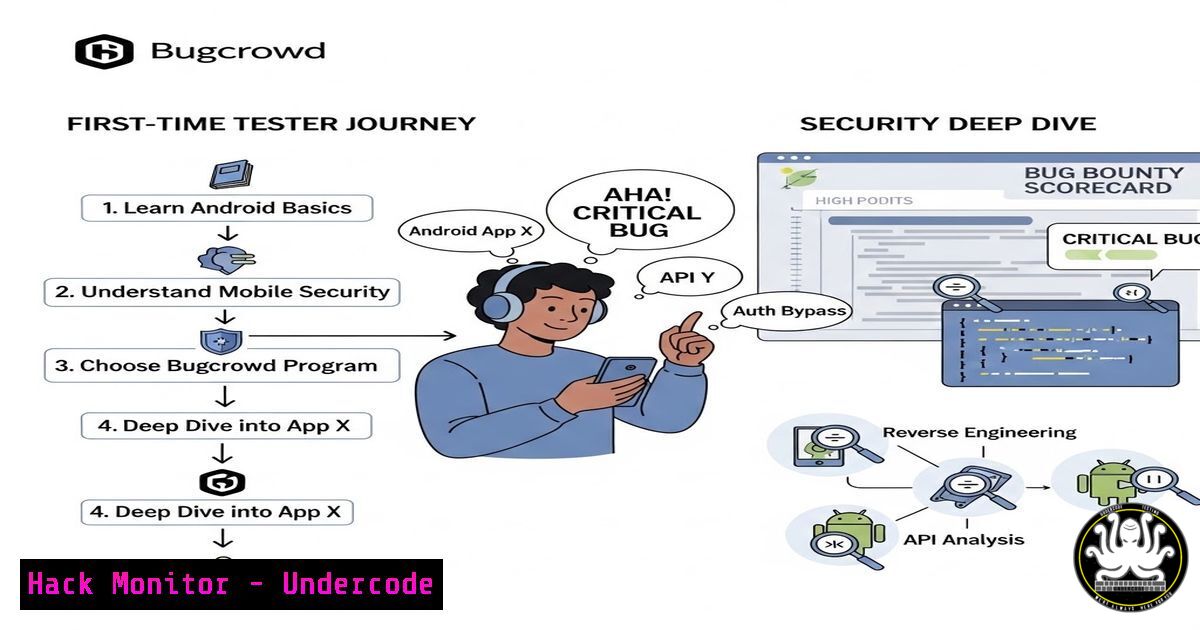
In the ever-expanding attack surface of mobile applications, a single overlooked permission or insecure data storage flaw can escalate into a critical vulnerability. Recently, an offensive security researcher celebrated their first Android report on Bugcrowd—a finding that was immediately rated as critical. This achievement highlights the growing demand for mobile security expertise and the lucrative opportunities in bug bounty programs. For professionals transitioning from web or network testing, Android penetration testing requires a distinct methodology, combining static analysis, dynamic instrumentation, and API security knowledge. This article provides a comprehensive, step-by-step guide to uncovering high-impact bugs in Android apps, using the same techniques that lead to critical rankings on platforms like Bugcrowd.
Learning Objectives:
- Understand the core components of an Android application and how to set up a controlled testing environment.
- Master static and dynamic analysis techniques to identify common and critical vulnerabilities.
- Learn how to effectively document and report findings to maximize impact and bounty rewards.
You Should Know:
1. Building Your Android Penetration Testing Lab
Before hunting for bugs, you need a reliable and isolated environment to test applications safely. This lab typically includes an emulator or a physical device, interception proxies, and debugging tools.
- Set up an Android Emulator (or Physical Device):
- Install Android Studio from developer.android.com.
- Create a virtual device (preferably a Google Pixel with a recent API level, e.g., API 30+).
- Enable Developer Options and USB Debugging on the emulator/device.
- Install and Configure Burp Suite:
- Launch Burp Suite and set a proxy listener (e.g., 127.0.0.1:8080).
- On the Android device, go to Wi-Fi settings, modify the network, and set a manual proxy to your host machine’s IP and port 8080.
- Install Burp’s CA certificate on the device:
- Export the certificate from Burp (DER format) and rename it to
cacert.cer. - Upload the file to the device and install it from Settings → Security → Install from storage.
- Verify the Setup:
- Open a browser on the device and navigate to http://burp. This should load the Burp Suite welcome page, confirming traffic interception works.
Linux/Windows Commands:
- List connected devices: `adb devices`
– Install an APK: `adb install app.apk`
– Access device shell: `adb shell`
– Pull files from device: `adb pull /sdcard/Download/file`
2. Static Analysis: Decompiling and Inspecting the APK
Static analysis involves examining the application’s code and resources without executing it. This is where many critical vulnerabilities—like hardcoded API keys, insecure permissions, or exposed components—are first spotted.
- Decompile the APK using APKTool:
apktool d app.apk -o decompiled_app
This extracts resources, manifests, and smali code.
- Convert DEX to Java using jadx:
jadx-gui app.apk
jadx provides readable Java source code, making it easier to trace logic and identify flaws.
- Scan with MobSF (Mobile Security Framework):
- MobSF automates static and dynamic analysis. Run it via Docker:
docker pull opensecurity/mobile-security-framework-mobsf
docker run -it -p 8000:8000 opensecurity/mobile-security-framework-mobsf
- Upload the APK and review the generated report for issues like insecure WebView implementations, exported activities, or weak encryption.
Key Checks:
- AndroidManifest.xml: Look for `android:exported=”true”` on activities, services, or receivers that should not be accessible by other apps.
- Hardcoded Secrets: Search for strings like “api_key”, “password”, “secret” in the decompiled code.
- Insecure Data Storage: Identify code that writes sensitive data to external storage (
/sdcard) or usesMODE_WORLD_READABLE/WRITABLE.
3. Dynamic Analysis: Traffic Interception and Runtime Manipulation
Dynamic analysis tests the app while it runs. The goal is to observe its behavior, intercept network traffic, and manipulate runtime data.
- Intercept HTTPS Traffic with Burp Suite:
- Ensure the Burp certificate is trusted on the device (as done earlier).
- Launch the app and perform actions. Look for API requests in Burp’s HTTP history.
- If traffic is not visible, the app may implement SSL Pinning. Bypass it using tools like Frida or Objection.
- Bypass SSL Pinning with Frida:
- Install Frida on your host and the device:
pip install frida-tools
Push frida-server to device
adb push frida-server /data/local/tmp/
adb shell chmod 755 /data/local/tmp/frida-server
adb shell /data/local/tmp/frida-server &
- Use a universal SSL unpinning script:
frida -U -f com.example.app -l frida-script.js --no-pause
- Now, all HTTPS traffic should appear in Burp.
- Monitor File System and Logs:
- Use `adb logcat` to view real-time logs. Look for sensitive data being printed.
- Browse the app’s private directory: `adb shell run-as com.example.app ls /data/data/com.example.app/`
4. Unearthing Critical Vulnerabilities: A Practical Scenario
Critical bugs often stem from insecure direct object references (IDOR), improper authorization, or sensitive data exposure. Let’s simulate an IDOR vulnerability in a mobile API.
Scenario: A banking app’s API endpoint `GET /api/account/balance?userId=123` returns account details. The userId parameter is taken directly from the request without verifying ownership.
Step‑by‑step exploitation:
- Intercept the request in Burp Suite while logged in as your own user.
2. Send the request to Repeater.
- Modify the `userId` parameter to another number (e.g., 124) and forward.
- If the response contains another user’s balance, you have found an IDOR.
- To confirm, try to perform a state-changing action (e.g., transfer funds) with the manipulated ID.
Mitigation: Implement proper access controls; do not rely on client‑supplied identifiers without server‑side verification.
5. Exploiting Insecure Data Storage
Android apps often store sensitive data like tokens, passwords, or PII insecurely. Common locations include:
– SharedPreferences (XML files in /data/data/<package>/shared_prefs/)
– SQLite databases ( /data/data/<package>/databases/)
– External storage (if permissions are misconfigured)
Extraction and Analysis:
- Navigate to the app’s data directory:
adb shell
run-as com.example.app
cd /data/data/com.example.app/
ls
- Pull databases or preference files:
adb exec-out run-as com.example.app cat /data/data/com.example.app/databases/mydb.db > mydb.db
- Open the SQLite database on your host:
sqlite3 mydb.db
.tables
SELECT  FROM users;
If authentication tokens or credentials are found in plaintext, you have a critical data exposure vulnerability.
6. Crafting a Winning Bug Bounty Report
Your discovery is only as valuable as your report. Platforms like Bugcrowd reward clarity, impact demonstration, and actionable remediation steps.
Report Structure:
- e.g., “Critical IDOR in Account Balance API Allows Unauthorized Access to Any User’s Financial Data”
- Vulnerability Type: Insecure Direct Object References (IDOR)
- Affected Endpoint: `https://api.target.com/v1/account/balance?userId=`
- Steps to Reproduce:
- Log in as user A and intercept the balance request.
2. Change `userId` parameter to user B’s ID.
- Observe that the response contains user B’s balance.
– Proof of Concept: Include screenshots or a video demonstrating the attack.
– Impact: Unauthorized access to sensitive financial information of any user, leading to privacy breach and potential fraud.
– Remediation: Implement server‑side authorization checks; use session tokens instead of user‑supplied IDs.
7. Hardening Android Apps: Developer’s Perspective
While testers hunt for bugs, understanding mitigation techniques helps in writing better reports and advising developers.
- Certificate Pinning: Use libraries like OkHttp’s `CertificatePinner` to prevent MITM attacks.
- Secure Storage: Use Android’s `EncryptedSharedPreferences` or `Keystore` for sensitive data.
- ProGuard/R8: Obfuscate code to make reverse engineering harder.
- Check for Exported Components: Set `android:exported=”false”` unless absolutely necessary.
Commands to Verify Hardening:
- Check if app is debuggable: `adb shell dumpsys package com.example.app | grep flags` (look for `DEBUGGABLE` flag).
What Undercode Say:
- Key Takeaway 1: Mobile security is a high‑reward niche; even first‑timers can find critical bugs by methodically applying both static and dynamic analysis techniques.
- Key Takeaway 2: A critical finding often stems from simple logic flaws (like IDOR) rather than complex exploits—emphasizing the importance of understanding the application’s business logic.
- Analysis: The journey from zero to critical on Bugcrowd underscores the democratization of cybersecurity. With free tools, emulators, and community resources, anyone can start testing Android apps. However, success requires patience, creativity, and a structured approach. The most impactful bugs are those that directly threaten user privacy or financial data, so always assess the real‑world impact. Moreover, the community support seen in the comments—encouraging write‑ups and sharing knowledge—fuels continuous learning. As mobile apps become more complex, so do the attack vectors; testers must stay updated with new bypass techniques and evolving platform defenses.
Prediction:
As mobile applications increasingly handle sensitive transactions—banking, healthcare, IoT control—the demand for mobile security researchers will surge. Bug bounty programs will introduce dedicated mobile‑only scopes, and we can expect AI‑assisted tools that automatically map API endpoints and identify common mobile vulnerabilities. However, human ingenuity will remain irreplaceable for uncovering logical flaws. The future of mobile hacking lies in deeper integration with cloud APIs and real‑time device‑to‑device communication, presenting new challenges and opportunities for those who master this domain.
▶️ Related Video (76% Match):
🎯Let’s Practice For Free:
IT/Security Reporter URL:
Reported By: Https: – Hackers Feeds
Extra Hub: Undercode MoN
Basic Verification: Pass ✅


