Listen to this Post
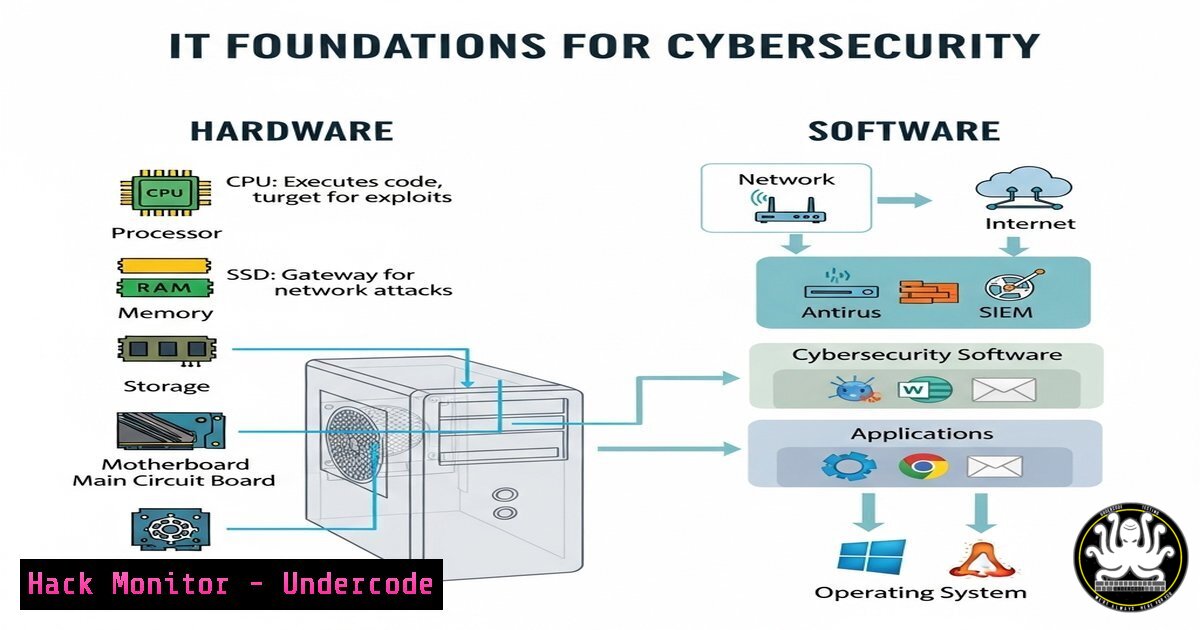
Introduction
A strong grasp of computer hardware and software is the backbone of any IT career, especially in cybersecurity. Understanding how input/output (I/O) devices, system components, and software interact helps professionals diagnose vulnerabilities, secure systems, and optimize performance. This article explores key technical concepts, commands, and best practices to solidify your IT foundation.
Learning Objectives
- Master essential Linux and Windows commands for system diagnostics.
- Learn how hardware components influence cybersecurity risks.
- Apply practical commands to secure and troubleshoot systems.
You Should Know
1. Hardware Components and Their Security Implications
Understanding hardware is critical for identifying attack surfaces like firmware exploits or physical tampering.
Linux Command to Check Hardware:
lshw -short
What It Does: Lists hardware components (CPU, RAM, storage, etc.).
How to Use:
1. Open a terminal.
- Run `sudo lshw -short` for a concise summary.
- Analyze output for unrecognized devices (potential rogue hardware).
Windows Equivalent:
Get-WmiObject Win32_ComputerSystem | Select-Object Manufacturer, Model
2. Securing I/O Devices (USB, Peripherals)
Malicious USB devices can deliver payloads or keyloggers.
Linux Command to Block USB Storage:
echo "blacklist usb-storage" | sudo tee -a /etc/modprobe.d/blacklist.conf
What It Does: Prevents unauthorized USB storage devices from mounting.
How to Use:
1. Edit the blacklist file.
2. Reboot or run `sudo modprobe -r usb-storage`.
Windows Mitigation (via Group Policy):
- Open `gpedit.msc` → Computer Configuration → Administrative Templates → System → Removable Storage Access.
- Enable “Deny execute access” and “Deny write access”.
3. Monitoring System Processes for Anomalies
Malware often hides in running processes.
Linux Command:
top -c
What It Does: Displays real-time processes sorted by CPU usage.
How to Use:
- Look for unusual process names or high CPU spikes.
2. Investigate with `ps aux | grep
`.</h2>

<h2 style="color: yellow;">Windows Equivalent:</h2>

[bash]
Get-Process | Sort-Object CPU -Descending
4. Network Hardening with Firewall Rules
Unrestricted network access is a major attack vector.
Linux (iptables) Command to Block Suspicious IPs:
sudo iptables -A INPUT -s 192.168.1.100 -j DROP
What It Does: Blocks traffic from a specific IP.
How to Use:
1. Replace `192.168.1.100` with the malicious IP.
2. Persist rules with `sudo iptables-save > /etc/iptables/rules.v4`.
Windows (Firewall) Command:
New-NetFirewallRule -DisplayName "Block Malicious IP" -Direction Inbound -RemoteAddress 192.168.1.100 -Action Block
5. Detecting Firmware Vulnerabilities
Firmware attacks (e.g., rootkits) bypass traditional security.
Linux Command to Check Firmware Version:
dmidecode -t bios
What It Does: Displays BIOS/UEFI details.
How to Use:
1. Compare output against vendor security bulletins.
- Patch using `fwupd` (Linux) or vendor tools (Windows).
Windows Equivalent:
Get-WmiObject Win32_BIOS | Select-Object SMBIOSBIOSVersion
What Undercode Say
- Key Takeaway 1: Hardware knowledge is non-negotiable—attackers exploit physical and firmware weaknesses.
- Key Takeaway 2: Proactive monitoring (processes, network, USB) prevents breaches before they escalate.
Analysis:
Many IT professionals overlook hardware-level threats, focusing solely on software. However, attacks like BadUSB, DMA exploits, and firmware rootkits highlight the need for holistic security. Combining hardware awareness with OS-level hardening (firewalls, process monitoring) creates a robust defense-in-depth strategy.
Prediction
As IoT and edge computing grow, hardware-based attacks will surge. Future cybersecurity roles will demand deeper low-level expertise—think embedded system security, supply chain verification, and hardware-backed zero-trust architectures. Professionals who master these fundamentals now will lead the next wave of cyber defense.
🎯Let’s Practice For Free:
IT/Security Reporter URL:
Reported By: Kinge Hans – Hackers Feeds
Extra Hub: Undercode MoN
Basic Verification: Pass ✅


