Listen to this Post
Introduction:
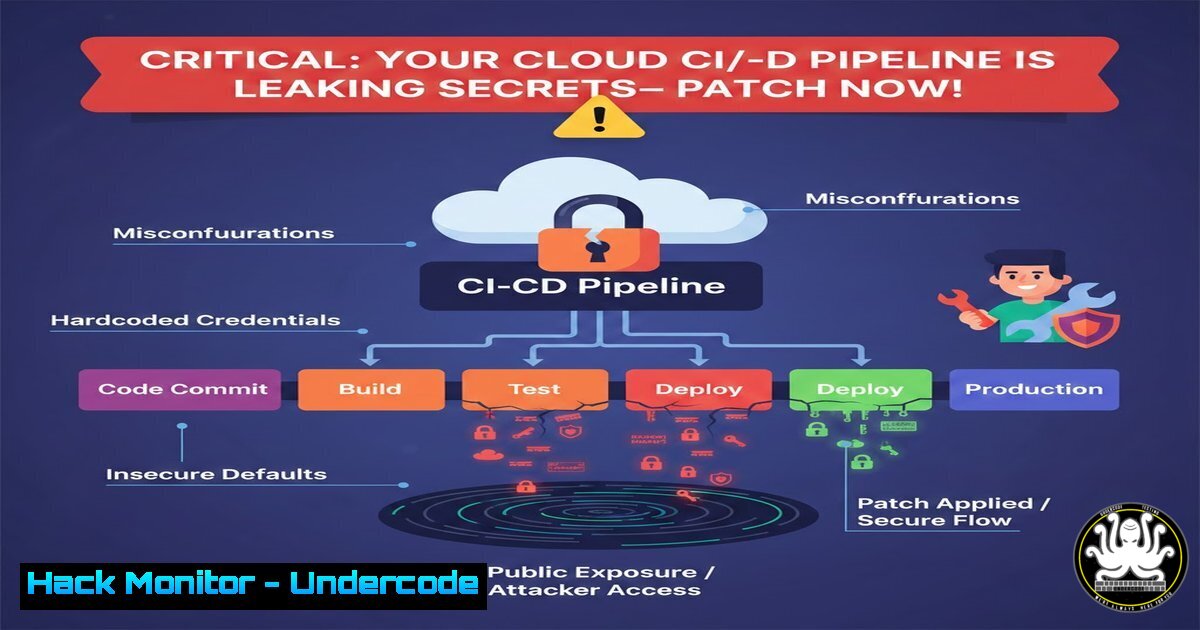
The recent disclosure of a sophisticated attack vector targeting CI/CD pipelines has sent shockwaves through the DevSecOps community. Attackers are no longer just scanning for open ports; they are hunting for exposed environment variables, hardcoded API keys in public repositories, and misconfigured cloud storage buckets used for build artifacts. This breach methodology combines classic credential harvesting with modern supply chain attacks, specifically leveraging GitHub Actions artifacts and AWS S3 buckets left with public write privileges. Understanding this chain of exploitation is critical for any organization relying on automated deployment frameworks.
Learning Objectives:
- Identify and remediate hardcoded secrets in GitHub repositories and CI/CD logs.
- Implement IAM policies and bucket ACLs to prevent public write access on AWS S3.
- Master the use of
gitleaks,truffleHog, and `awscli` for auditing cloud infrastructure.
You Should Know:
1. Auditing GitHub for Exposed Secrets
The initial attack vector often begins with a developer accidentally pushing credentials to a public or even private repository. Attackers use automated bots to scan for patterns indicative of AWS keys, Slack tokens, or database connection strings.
– Step‑by‑step guide explaining what this does and how to use it:
– Local Scanning with Gitleaks: Before pushing code, run `gitleaks detect –source . -v` to scan your current directory for secrets. This prevents leaks from reaching the remote origin.
– Repository History Scanning: If you suspect a past leak, use `gitleaks detect –source /path/to/repo –report-path report.json` to scan the entire Git history.
– GitHub Secret Scanning API: For organizations, enable the native GitHub secret scanning feature via Settings > Code security & analysis. To audit via API, use:
curl -H "Authorization: token YOUR_GITHUB_TOKEN" \
https://api.github.com/repos/OWNER/REPO/secret-scanning/alerts
– Linux Command for Grepping: A quick but noisy manual check in cloned repos: `grep -r –include=”.{env,py,js,json}” -E “(AWS_ACCESS_KEY_ID|AKIA[0-9A-Z]{16})” .`
2. Hardening AWS S3 Buckets Against Public Write
Once credentials are stolen, the next target is often cloud storage. A misconfigured S3 bucket allows attackers to inject malicious code into build artifacts, which then gets deployed to production.
– Step‑by‑step guide explaining what this does and how to use it:
– Audit Current Bucket Permissions: Using the AWS CLI, check the bucket ACL and policy.
aws s3api get-bucket-acl --bucket your-bucket-name
aws s3api get-bucket-policy --bucket your-bucket-name
– Block Public Access: The most effective defense is to enable the “Block Public Access” settings at the bucket or account level.
aws s3api put-public-access-block --bucket your-bucket-name \
--public-access-block-configuration BlockPublicAcls=true,IgnorePublicAcls=true,BlockPublicPolicy=true,RestrictPublicBuckets=true
– Remove Public Write via ACL: If you find the `AllUsers` group has `WRITE` or `WRITE_ACP` permissions, revoke them immediately.
 Save the current ACL, remove the Grant for AllUsers, then reapply
aws s3api get-bucket-acl --bucket your-bucket-name > acl.json
 Manually edit acl.json to remove the Grantee with URI "http://acs.amazonaws.com/groups/global/AllUsers"
aws s3api put-bucket-acl --bucket your-bucket-name --access-control-policy file://acl.json
3. Securing GitHub Actions Workflows and Artifacts
Compromised CI/CD pipelines are the crown jewels for attackers. They exploit overly permissive GITHUB_TOKEN permissions or insecure handling of artifacts.
– Step‑by‑step guide explaining what this does and how to use it:
– Restrict GITHUB_TOKEN Permissions: In your workflow `.yml` file, explicitly define the minimum required permissions at the top level.
permissions:
contents: read  Only read the repo contents, not write
packages: read  Only read packages
issues: none
– Scan Docker Images in Artifacts: Before using a build artifact, scan it for vulnerabilities. Integrate Trivy into your pipeline.
- name: Scan Docker Image
uses: aquasecurity/trivy-action@master
with:
image-ref: 'your-app:${{ github.sha }}'
format: 'table'
exit-code: '1'  Fail the build if vulnerabilities are found
severity: 'CRITICAL,HIGH'
– Encrypt Artifacts: If you must upload sensitive build artifacts, encrypt them with a symmetric key stored in GitHub Secrets.
 In your workflow, using openssl to encrypt
openssl enc -aes-256-cbc -salt -in build.zip -out build.zip.enc -pass pass:${{ secrets.ARTIFACT_KEY }}
4. Detecting and Removing Secrets from Git History
If a secret has already been committed, simply deleting the file and pushing a new commit is not enough; the secret remains in the history.
– Step‑by‑step guide explaining what this does and how to use it:
– Using BFG Repo-Cleaner: This tool is faster than `git filter-branch` for removing sensitive data.
 Download the BFG jar file
java -jar bfg.jar --delete-files credentials.json your-repo.git
 Then force push the cleaned history
git push --force
– Using Git Filter-Repo: For more complex operations, `git filter-repo` is the modern standard.
pip install git-filter-repo
git filter-repo --path config/.env --invert-paths
5. API Security: Rotating Compromised Keys Programmatically
Once a leak is confirmed, you must assume the keys are compromised and rotate them immediately.
– Step‑by‑step guide explaining what this does and how to use it:
– AWS CLI Key Rotation: Create a new access key, update your applications, then deactivate and delete the old one.
 Create new key
aws iam create-access-key --user-name compromised-user > new_keys.json

Update your applications/configs with the new key from new_keys.json

Deactivate the old key
aws iam update-access-key --access-key-id OLD_ACCESS_KEY --status Inactive --user-name compromised-user

After confirming applications work, delete the old key
aws iam delete-access-key --access-key-id OLD_ACCESS_KEY --user-name compromised-user
– Revoking GitHub Tokens: If a personal access token leaked, revoke it via the GitHub UI or API.
 List tokens for a user (requires admin:org scope)
curl -H "Authorization: token YOUR_ADMIN_TOKEN" \
https://api.github.com/users/compromised-user/tokens

Delete a specific token
curl -X DELETE -H "Authorization: token YOUR_ADMIN_TOKEN" \
https://api.github.com/users/compromised-user/tokens/TOKEN_ID
6. Hardening Cloud IAM Policies
Leaked credentials often have far more permissions than necessary, allowing lateral movement.
– Step‑by‑step guide explaining what this does and how to use it:
– Use AWS IAM Access Analyzer: Generate a policy based on CloudTrail logs to grant only the permissions actually used.
 Generate a policy for a specific user based on recent activity
aws accessanalyzer generate-policy --policy-type IDENTITY_POLICY --resource-arn arn:aws:iam::123456789012:user/exposed-user
– Implement Permission Boundaries: Prevent privilege escalation by setting boundaries.
 Attach a boundary to a user
aws iam put-user-permissions-boundary --user-name exposed-user --permissions-boundary arn:aws:iam::aws:policy/AWSPowerUserAccess
What Undercode Say:
- Key Takeaway 1: The blast radius of a leaked `.env` file is no longer limited to a single database. In modern cloud-native architectures, it can compromise the entire CI/CD supply chain, leading to backdoored production code.
- Key Takeaway 2: Security automation must shift left. Scanning for secrets pre-commit using tools like Gitleaks is exponentially cheaper and safer than post-breach incident response.
This breach serves as a stark reminder that “shift-left” security is not just a buzzword. We are seeing a convergence of traditional application security (secret scanning) and cloud infrastructure security (IAM hardening). The attackers’ success hinged on the “trust” between development environments and deployment pipelines. Organizations must now treat their CI/CD configuration files with the same rigor as production firewall rules. The tools to defend exist—from `awscli` for policy enforcement to `trivy` for container scanning—but they are useless if not integrated into the daily workflow of developers. The human factor, a developer rushing to push code, remains the most unpredictable variable in this equation.
Prediction:
We predict a rise in “artifact poisoning” attacks where threat actors will specifically target public S3 buckets and NPM registries used by Fortune 500 companies. Instead of exploiting zero-day vulnerabilities, they will rely on configuration drift and stale cloud credentials found in long-forgotten GitHub Gists. Consequently, we will see the emergence of “Continuous Compliance” as a service, where AI agents autonomously rotate keys and revert public ACLs in real-time without human intervention.
▶️ Related Video (90% Match):
🎯Let’s Practice For Free:
IT/Security Reporter URL:
Reported By: Timothygoebel Startupgrowth – Hackers Feeds
Extra Hub: Undercode MoN
Basic Verification: Pass ✅


