Listen to this Post
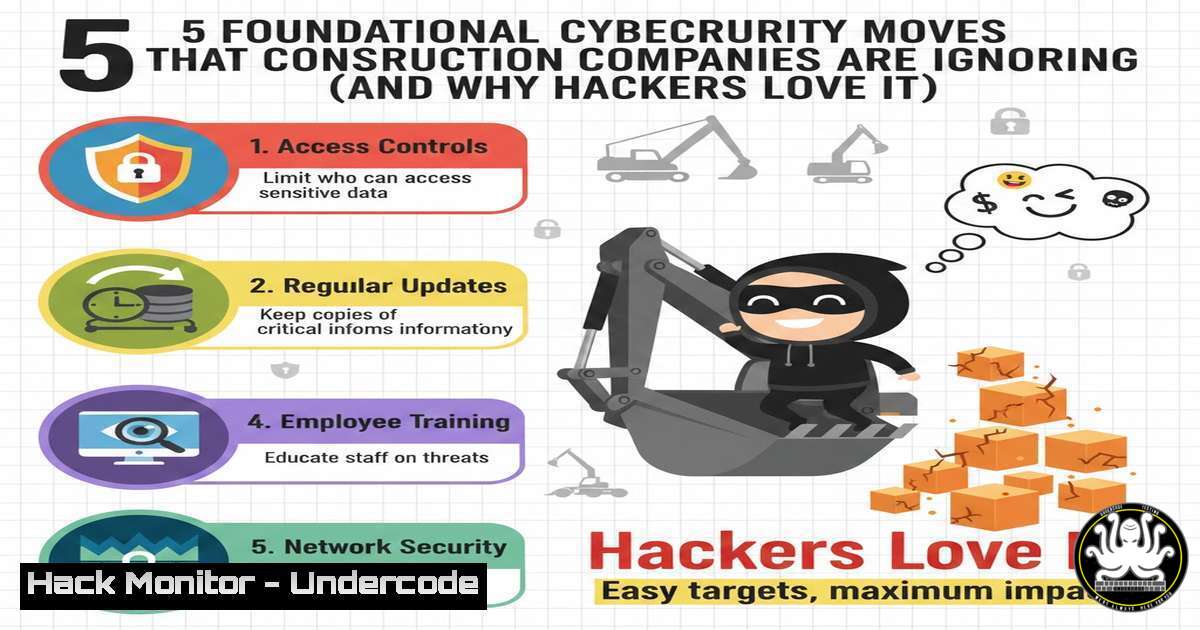
Introduction:
In an industry driven by physical assets and tight deadlines, construction firms often relegate cybersecurity to an afterthought, creating a target-rich environment for threat actors. The reality, as highlighted by IT experts specializing in the trades, is that devastating breaches rarely stem from sophisticated zero-day exploits but from unaddressed basic vulnerabilities. This article translates five prioritized action items into a technical blueprint for immediate risk reduction, moving beyond theory into actionable configuration and protocol.
Learning Objectives:
- Implement and enforce Multi-Factor Authentication (MFA) and conditional access policies for cloud email platforms.
- Apply the principle of least privilege (PoLP) through structured user access reviews and administrative role management.
- Develop and validate a robust backup and disaster recovery (BDR) strategy with verified restoration procedures.
- Deploy effective security awareness training focusing on phishing recognition and incident reporting.
- Construct a concise incident response plan (IRP) with clear communication channels and containment steps.
You Should Know:
1. Locking Down Email: Beyond Basic MFA
Email is the primary identity and communication hub. A compromise here leads to Business Email Compromise (BEC), password resets, and further network infiltration. The goal is to move from optional MFA to enforced, conditional access.
Step‑by‑step guide:
- Enable Enforced MFA: In your identity provider (e.g., Microsoft 365 Admin Center, Google Admin Console), navigate to security settings. Disable per-user MFA and activate Conditional Access or Security Defaults. Require MFA for all users.
- Configure Conditional Access Policies (Microsoft 365 Example): Use the Azure AD portal to create policies that go beyond simple MFA.
– Create a policy named “
 MFA for all external network access."
- Under <code>Assignments > Users</code>, select <code>All users</code>.
- Under <code>Target resources</code>, select <code>All cloud apps</code>.
- Under <code>Conditions > Locations</code>, configure `Any location` and exclude your trusted office IP ranges.
- Under <code>Access controls</code>, select `Grant access` and check <code>Require multi-factor authentication</code>.
3. Block Legacy Authentication: In the same Conditional Access blade, create a separate policy to block legacy protocols (POP3, IMAP, SMTP) which often bypass MFA. Use the `Client apps` condition, select `Exchange ActiveSync clients` and <code>Other clients</code>, and set the control to <code>Block</code>.

<h2 style="color: yellow;">2. Cleaning Up Administrative Access: Implementing Least Privilege</h2>

Excessive administrative privileges are a primary vector for ransomware spread and lateral movement. The principle of least privilege (PoLP) must be systematically applied.

<h2 style="color: yellow;">Step‑by‑step guide:</h2>

<ol>
<li>Inventory Administrative Accounts: On Windows networks, open PowerShell as Administrator and run:
[bash]
Get-ADGroupMember -Identity "Domain Admins" | Select-Object name
Get-LocalGroupMember -Group "Administrators"
On Azure/Microsoft 365, use the Microsoft 365 Admin Center or PowerShell (Get-AzureADDirectoryRoleMember -ObjectId <role-id>).
3. Validating Backups: From Assumption to Verification
An untested backup is no backup at all. Validation requires scheduled test restores of files, applications, and full system images.
Step‑by‑step guide:
- Document the RTO and RPO: Define your Recovery Time Objective (how long to restore) and Recovery Point Objective (how much data loss is acceptable) for critical systems.
- Schedule Automated Backup Verification: Use your backup software’s verification tools. For example, in Veeam, create “SureBackup” jobs to automatically boot backup VMs in an isolated lab and run health checks.
3. Conduct Quarterly Full Restore Tests:
- File-Level: Restore a random sample of files to a test location and verify integrity.
- System-Level: For a critical server (e.g., file server), perform a full disaster recovery drill. Using a hypervisor like VMware ESXi, you can test a full VM restore to an isolated network segment with commands like initiating from a backup appliance.
- Document Results & Refine: Time the process, note failures, and update procedures.
- Training the Human Firewall: Phishing Simulation and Response
Effective training is continuous, measurable, and focused on changing behavior, not just passing a test.
Step‑by‑step guide:
- Deploy a Phishing Simulation Platform: Use tools like KnowBe4, Cofense, or Microsoft’s Attack Simulation Training. Start with baseline testing to gauge current click rates.
- Create Context-Aware Training Modules: Develop short (2-3 minute) videos or interactive modules focusing on construction-specific lures (e.g., fake supplier invoices, project change orders, equipment rental notices).
- Establish a Clear Reporting Protocol: Train users to report suspicious emails using the “Report Phishing” add-in in Outlook or a designated internal email alias (e.g., [email protected]). Publicize and reward reporting.
5. Building a Simple Incident Response Plan (IRP)
A plan prevents panic. It must be a living document, not a binder on a shelf.
Step‑by‑step guide:
- Form a Core Response Team: Define roles: Incident Lead (decision-maker), IT Specialist (containment), Communications Lead (internal/external messaging).
- Define Clear Trigger Criteria and Steps: Create a one-page flowchart. Trigger: “Suspected Ransomware Encryption.”
– Step 1: Identification: Isolate the affected device from the network (disable switch port via CLI: `sudo ifconfig eth0 down` on Linux, or `Disable-NetAdapter -Name “Ethernet”` via PowerShell on Windows).
– Step 2: Containment: Disconnect backup systems from the network to prevent encryption.
– Step 3: Communication: Notify the Response Team via pre-established Signal/Teams group. Do not use potentially compromised email.
– Step 4: Eradication & Recovery: Wipe and rebuild infected systems from verified clean backups.
3. Conduct Tabletop Exercises: Quarterly, present a scenario (e.g., “The project manager’s laptop is encrypted, and a ransom note appears”) and walk through the plan with the team, discussing each decision point.
What Undercode Say:
- Prioritize Foundational Hygiene Over Fancy Tools: The most significant risk reduction comes from relentlessly executing the basics—MFA, least privilege, and backup validation. These controls mitigate over 80% of common attack vectors.
- Measure to Manage: Security is not anecdotal. You must measure MFA enrollment rates, admin account counts, backup test success rates, phishing click-through rates, and IR tabletop outcomes. What gets measured gets improved.
Analysis: The construction industry’s operational technology (OT), project data, and financial flows present a high-value target. Adversaries are not crafting custom malware for specific contractors; they are running automated scripts that scan for the absence of these basic controls. The technical steps outlined transform abstract advice into sysadmin-level tasks, creating tangible security milestones. The convergence of IT and OT in modern construction further amplifies the need for these fundamentals, as a breach in the office network can now potentially lead to disruption on the job site via connected equipment and control systems.
Prediction:
The future of attacks against small and medium businesses, including construction, will see increased automation in exploitation (AI-driven phishing) and ransomware that specifically targets backup systems and virtualization hosts before encryption. However, the primary attack surface will remain these unpatched basic gaps. Firms that implement these five moves will likely face attempted attacks but will fall outside the “low-hanging fruit” category, causing automated attack chains to fail early. The next evolution will require these firms to layer advanced detection (EDR/XDR) and Zero Trust segmentation on this solid foundation, particularly as cloud-based project management and IoT integration become ubiquitous.
▶️ Related Video (80% Match):
🎯Let’s Practice For Free:
IT/Security Reporter URL:
Reported By: Cameron Rule – Hackers Feeds
Extra Hub: Undercode MoN
Basic Verification: Pass ✅


