Listen to this Post
Introduction
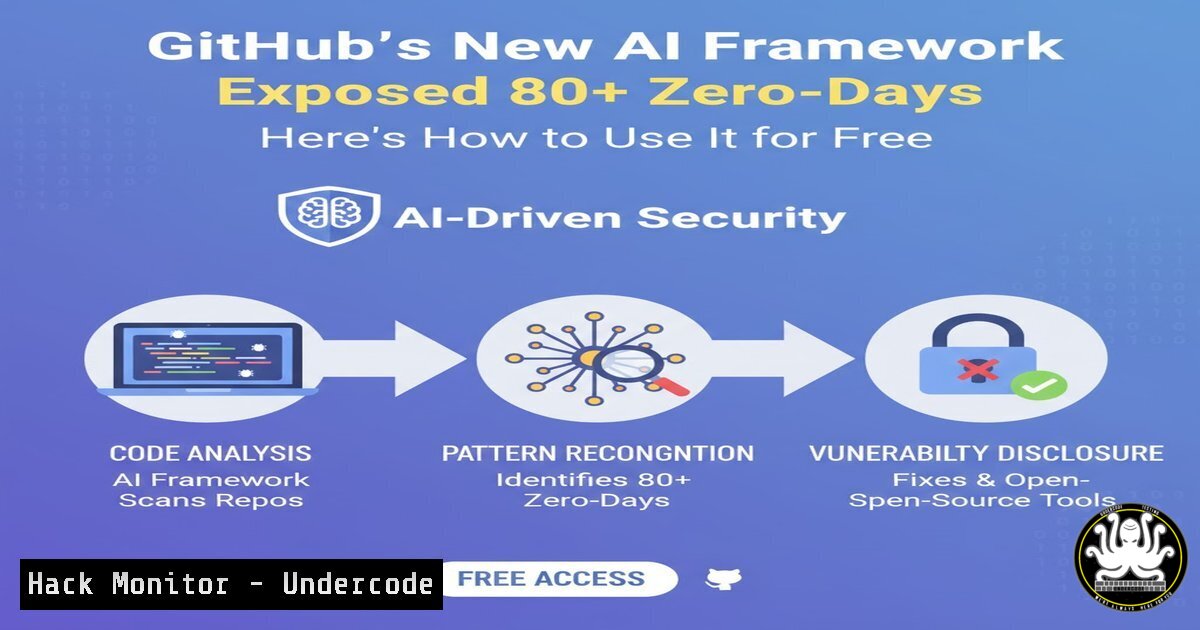
The GitHub Security Lab has unveiled a game-changing open-source AI framework—the Taskflow Agent—that automates the discovery of complex web vulnerabilities with unprecedented accuracy. Unlike traditional scanners that drown teams in false positives, this agent uses a structured “Taskflow” pipeline to break down code analysis, context gathering, and validation, already uncovering over 80 critical flaws in major open-source projects. This article provides a technical deep dive into its architecture, setup, and practical usage, including step-by-step commands and configuration examples for security researchers and DevOps engineers.
Learning Objectives
- Understand the Taskflow Agent’s multi-stage pipeline and how it mitigates LLM hallucinations.
- Learn to install and configure the framework on Linux and Windows environments.
- Gain hands‑on experience running vulnerability scans and interpreting AI‑generated findings.
You Should Know
- Taskflow Agent Architecture: How It Works Under the Hood
The Taskflow Agent replaces monolithic LLM prompts with modular YAML‑defined workflows. Each “Taskflow” breaks code analysis into three logical stages:
- Context Gathering: The agent automatically dissects a repository into components, mapping entry points (e.g., API endpoints, user inputs), HTTP request flows, and privilege boundaries. It builds a threat model without human intervention.
- Issue Suggestion: Leveraging a premium LLM (e.g., GPT‑5.2 or Opus 4.6), the agent brainstorms realistic attack vectors based solely on the component’s threat model—no source code is analyzed at this stage.
- Issue Audit: The LLM performs a deep source‑code audit, verifying the suggested vulnerabilities. To eliminate hallucinations, it must output exact file paths, line numbers, and a proof‑of‑concept attack scenario.
This structured approach has already uncovered real zero‑days like CVE‑2025‑64487 (privilege escalation in Outline) and CVE‑2025‑15033 / CVE‑2026‑25758 (PII exposure in WooCommerce).
- Setting Up the Taskflow Agent in Your Environment
The framework is entirely open‑source and hosted on GitHub. Below are the setup steps for both Linux (Ubuntu 22.04+) and Windows (WSL2 recommended).
Prerequisites
- A GitHub Copilot license (required for accessing the premium LLM models).
- Git, Python 3.10+, and Docker (optional but recommended for isolated analysis).
Installation Commands (Linux/macOS)
 Clone the repository
git clone https://github.com/github/securitylab-taskflows.git
cd securitylab-taskflows

Create and activate a Python virtual environment
python3 -m venv venv
source venv/bin/activate

Install dependencies
pip install -r requirements.txt

Set up your GitHub Copilot token (export as env variable or use .env file)
export GITHUB_COPILOT_TOKEN="your_token_here"
Windows (PowerShell)
 Clone the repo
git clone https://github.com/github/securitylab-taskflows.git
cd securitylab-taskflows

Create virtual environment
python -m venv venv
.\venv\Scripts\Activate

Install dependencies
pip install -r requirements.txt

Set environment variable
$env:GITHUB_COPILOT_TOKEN="your_token_here"
The repository includes pre‑defined Taskflows for common vulnerability classes (IDOR, Auth Bypass, Token Leaks). You can also create custom YAML flows.
3. Running Your First Vulnerability Scan with Taskflow
Once installed, you can scan any public or private repository. The agent requires the target repo URL and the Taskflow to apply.
Example: Scan a local clone of a vulnerable app
 Clone a target repository (e.g., a deliberately vulnerable app)
git clone https://github.com/example/vulnerable-app.git
cd vulnerable-app

Run the Taskflow agent with the 'idor_detection' workflow
python ../securitylab-taskflows/run_scan.py --target . --taskflow idor_detection --output report.json
The agent will:
- Parse the codebase and build a context map.
- Use the LLM to suggest potential IDOR vectors.
- Audit the code and output findings with file paths and line numbers.
Sample Output Snippet
{
"vulnerability": "IDOR in user profile endpoint",
"file": "routes/profile.js",
"line": 45,
"description": "GET /api/user/:id does not verify that the authenticated user owns the requested profile.",
"attack_scenario": "Attacker changes :id parameter to access another user's data."
}
- Analyzing Results: From AI Hallucinations to Validated Exploits
The agent’s strict auditing phase minimizes false positives. However, because LLMs are non‑deterministic, running the same scan multiple times or swapping models can yield different findings. GitHub recommends:
- Re‑run with different models: Use the `–model` flag to switch between GPT‑5.2 and Opus 4.6.
- Validate with manual testing: The agent provides exact line numbers; you can then craft a proof‑of‑concept exploit using tools like Burp Suite or cURL.
Example cURL command to test an IDOR finding
 Assuming the agent flagged an endpoint
curl -X GET http://target.com/api/user/123 -H "Authorization: Bearer victim_token"
curl -X GET http://target.com/api/user/124 -H "Authorization: Bearer victim_token"  Should return unauthorized
If the second request returns data for user 124, the vulnerability is confirmed.
5. Custom Taskflows: Writing Your Own YAML Pipelines
Advanced users can define custom Taskflows to target specific vulnerability patterns. A Taskflow is a YAML file with three sections: context, suggest, and audit.
Example custom Taskflow for JWT token leaks
name: "jwt_leak_detection"
description: "Finds hardcoded JWT secrets or tokens in source code"
context:
file_types: [".js", ".py", ".java"]
exclude: ["node_modules", "tests"]
suggest:
prompt: "Identify areas where JWT tokens or secrets might be hardcoded or exposed in logs."
audit:
required_fields: ["file_path", "line_number", "code_snippet"]
validation: "Provide a realistic attack scenario using the leaked token."
Save this as `jwt_leak.yaml` in the `taskflows/` directory, then run:
python run_scan.py --target /path/to/repo --taskflow jwt_leak
6. Integrating Taskflow into CI/CD Pipelines
To automate vulnerability scanning, integrate Taskflow into your GitHub Actions or Jenkins pipeline.
GitHub Actions example
name: Security Scan with Taskflow
on: [push, pull_request]

jobs:
taskflow-scan:
runs-on: ubuntu-latest
steps:
- uses: actions/checkout@v3
- name: Set up Python
uses: actions/setup-python@v4
with:
python-version: '3.10'
- name: Install Taskflow
run: |
git clone https://github.com/github/securitylab-taskflows.git
cd securitylab-taskflows
pip install -r requirements.txt
- name: Run scan
env:
GITHUB_COPILOT_TOKEN: ${{ secrets.COPILOT_TOKEN }}
run: |
python securitylab-taskflows/run_scan.py --target . --taskflow idor_detection --output scan_report.json
- name: Upload report
uses: actions/upload-artifact@v3
with:
name: scan-report
path: scan_report.json
This ensures every code change is automatically audited for vulnerabilities before deployment.
7. Real-World Case Studies: Outline and WooCommerce
The Taskflow agent’s effectiveness is proven by the vulnerabilities it has uncovered:
- Outline (CVE-2025-64487): A privilege escalation flaw allowed any authenticated user to gain admin rights by manipulating a request parameter. The agent pinpointed the exact line in the authorization middleware.
- WooCommerce (CVE-2025-15033, CVE-2026-25758): Two critical flaws exposed guest customer PII (names, addresses, order details) via insecure direct object references in the order‑tracking API. Taskflow’s audit stage provided step‑by‑step exploitation steps, leading to rapid patches.
These examples demonstrate how AI‑assisted scanning can surface complex logic flaws that static analyzers miss.
What Undercode Say
- Key Takeaway 1: The Taskflow Agent’s structured pipeline (context → suggest → audit) effectively reduces LLM hallucinations, making AI‑driven vulnerability discovery reliable enough for production use.
- Key Takeaway 2: By open‑sourcing the framework and leveraging GitHub Copilot’s premium models, GitHub has democratized advanced security research—any developer can now run state‑of‑the‑art scans on their code for free (with a Copilot license).
Analysis: This marks a paradigm shift from reactive patching to proactive, AI‑augmented hunting. The combination of automated context mapping and strict audit requirements bridges the gap between manual code review and automated scanning. However, the reliance on premium LLMs means organisations must weigh cost against benefit. As models evolve, we can expect even deeper semantic understanding, potentially catching vulnerabilities that require business‑logic reasoning. The framework’s extensibility via YAML also encourages community‑driven Taskflow libraries, accelerating collective defence.
Prediction
Within two years, AI‑driven vulnerability discovery frameworks like Taskflow will become standard in DevSecOps pipelines, reducing the average time to detect critical flaws from weeks to hours. We will also see the emergence of specialised LLMs fine‑tuned on exploit databases, leading to fully autonomous patch generation—where an AI not only finds the bug but also submits a verified pull request to fix it.
▶️ Related Video (78% Match):
🎯Let’s Practice For Free:
IT/Security Reporter URL:
Reported By: Zlatanh Github – Hackers Feeds
Extra Hub: Undercode MoN
Basic Verification: Pass ✅


